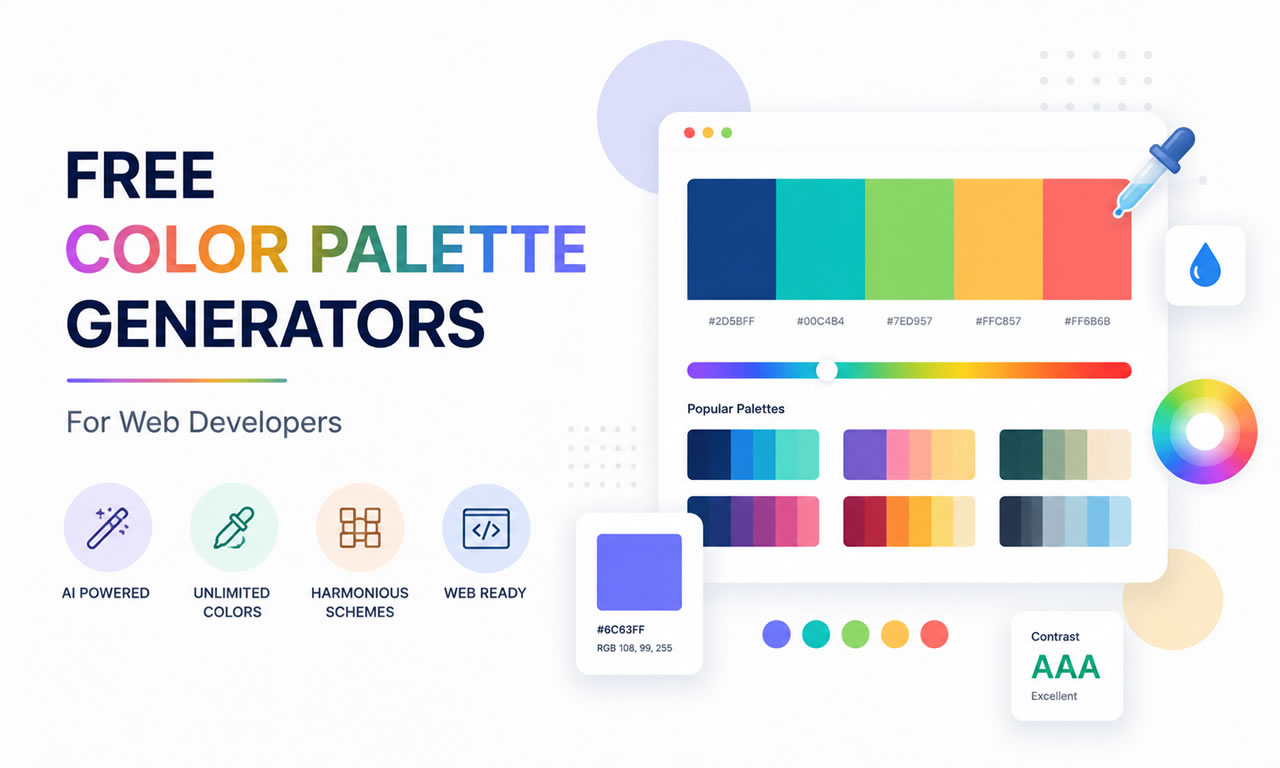
Choosing the right color scheme is one of the most challenging parts of web design. A poor color palette can ruin even the best layouts. Once you have sourced your visual assets, like free commercial stock photos, matching your website's UI colors to those images is crucial for brand consistency.
Top 5 Free Color Palette Generators for Web Developers
Here are the 5 best free tools to help you generate professional color palettes in seconds.
1. Coolors.co: The Fastest Generator
Coolors is arguably the most popular color palette generator. Just press the spacebar, and it instantly generates beautiful, modern color schemes. You can lock specific colors you like, adjust their shades, and generate matching tones around them. It also allows you to export palettes as PDF or CSS.
2. Adobe Color: For Professional Adjustments
Formerly known as Adobe Kuler, this free web-based tool lets you apply standard color rules (like analogous, monochromatic, complementary, or triad) to find the perfect scientific color match. The best feature is its "Extract Theme" function, which lets you pull a cohesive palette directly from an uploaded image.
3. Color Hunt: Curated by Designers
If you don't want to generate colors from scratch, Color Hunt offers a daily updated collection of hand-picked color palettes. You can sort by "Popular", "Trendy", or specific moods like "Retro" or "Neon". It's perfect for developers looking for quick inspiration without the hassle of tweaking sliders.
4. Paletton: The Scheme Designer
Paletton takes a more classical approach to color theory. Instead of just giving you five random colors, it provides a comprehensive color wheel. You pick a base color, and it generates an entire scheme including different shades and highlights. It also features a vision simulation tool to see how colorblind users will view your site.
5. Colormind: AI-Powered Palettes
Colormind uses artificial intelligence driven by deep learning. It analyzes photographs, movies, and popular artwork to learn color styles. The coolest part about Colormind is that you can preview the generated colors live on a mock website template to see exactly how the background, buttons, and text will look together.
Conclusion
Don't guess your website colors or rely purely on instinct. Use these free tools to establish a professional visual hierarchy that builds trust and keeps your visitors engaged.
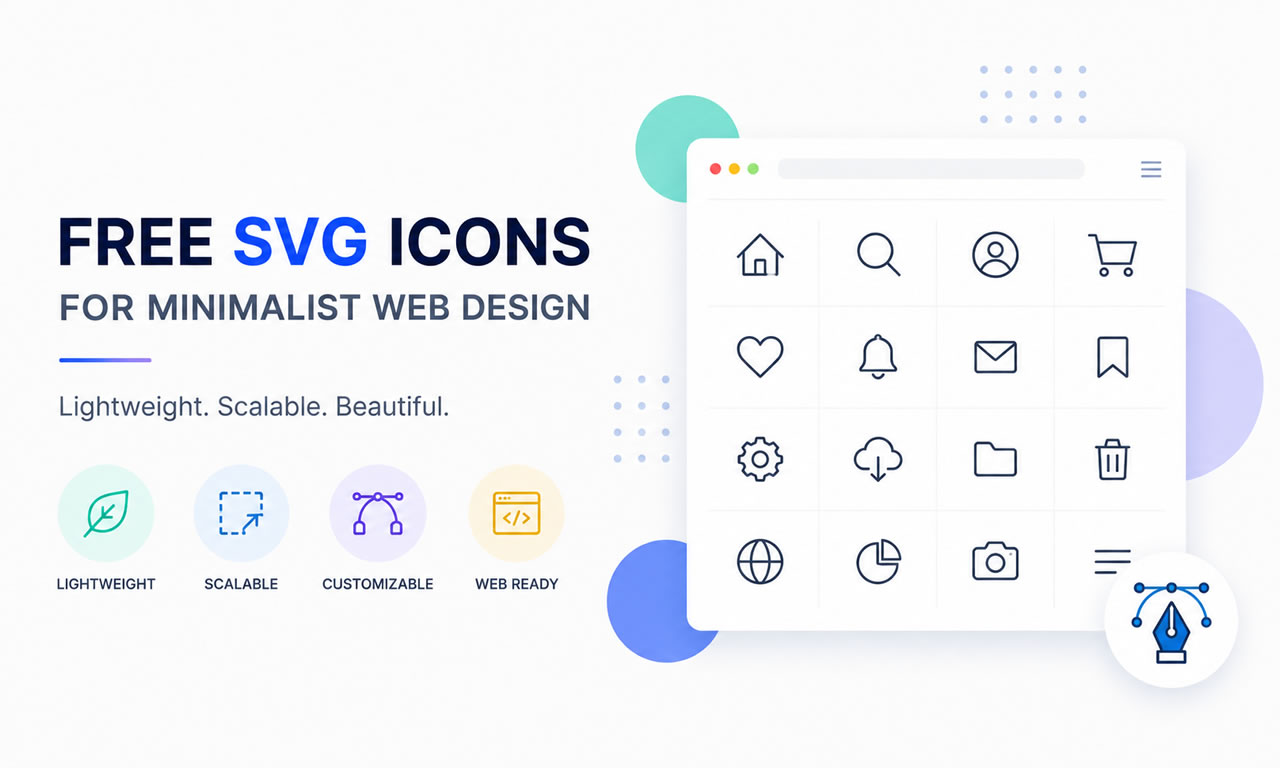
Minimalist web design relies heavily on clean, crisp visuals. While using the best free stock photo sites is great for background and hero sections, UI/UX design requires scalable vector graphics (SVG) to maintain sharpness across all screen sizes. Pixelated icons can instantly ruin a professional layout.
Where to Download Free SVG Icons for Minimalist Web Design
Why Choose SVG Over PNG?
Infinite Scalability: SVGs never lose quality, no matter how much you zoom in or display them on Retina screens.
Lightweight File Size: Because they are essentially XML code, they are much smaller than PNGs, boosting your SEO and loading speed.
CSS Customization: You can easily change their color, size, and hover effects directly via CSS without needing an image editor.
Top Sites for Free SVG Icons
1. SVG Repo: The Largest Open Database
SVG Repo offers over 500,000 free SVG vectors and icons. The best part? They are strictly categorized into different styles (monoline, filled, duotone) and are completely free for commercial use. It's a paradise for minimalist designers looking for specific interface icons.
2. Flaticon (Free Tier): The Industry Standard
Flaticon holds the largest database of free customizable icons in the world. They offer "packs" so you can keep the visual style consistent across your whole website. While you need to attribute the author on the free plan, the variety is unmatched.
3. Heroicons: Crafted by Tailwind CSS Creators
If you love clean, developer-friendly design, Heroicons is a must-bookmark. These beautiful hand-crafted SVG icons come in outline and solid styles. You can simply hover over an icon on their site and copy the SVG code directly into your HTML.
4. Iconmonstr: Strictly Minimalist
Created by a senior designer, Iconmonstr focuses purely on simple, bold, and highly recognizable icons. Everything on the site is 100% free for commercial use, requires no attribution, and fits perfectly into modern SaaS dashboards.
5. Font Awesome (Free Version): The Web's Most Popular
While technically an icon font, Font Awesome allows you to download all their free icons as individual SVGs. With thousands of well-designed icons representing brands, UI elements, and actions, it is the safest bet for any standard web project.
Pro Tip for Webmasters
Always combine lightweight SVG icons with optimized imagery. Keep your code clean, inline your critical SVGs, and your website will load instantly.
Finding high-quality images for your website or blog doesn't have to break the bank. Whether you are a web designer, content creator, or small business owner, having access to royalty-free images is essential. In 2026, the demand for authentic, non-cheesy stock photos is higher than ever.
10 Best Free Stock Photo Sites for Commercial Use
Here is our curated list of the 10 best free stock photo websites where you can download images for commercial use without attribution. Bookmark this page for your future web design projects.
1. Unsplash: The King of High-Resolution Photos
Unsplash remains the absolute top choice for web developers and bloggers. It offers over 3 million free high-resolution images brought to you by the world’s most generous community of photographers. The license allows for both personal and commercial use, and the aesthetic leans heavily towards modern, cinematic photography.
2. Pexels: Best for Photos and Free Stock Videos
Pexels is unique because, alongside stunning photography, it offers high-quality free stock videos. Their search algorithm is highly optimized, making it easy to find specific aesthetics for your web design projects. It is highly recommended for building dynamic hero sections on landing pages.
3. Pixabay: Massive Library of Vectors and Illustrations
If you need more than just photos, Pixabay is your go-to platform. It offers millions of free images, vectors, and art illustrations. It's incredibly useful for finding transparent background assets and vector graphics that you can modify in software like Illustrator.
4. Burst by Shopify: Perfect for E-commerce
Created by the e-commerce giant Shopify, Burst is specifically designed to help entrepreneurs find high-quality images for their online stores. The photos are categorized by business niches (like fitness, fashion, and food), making it extremely easy to find commercial-ready lifestyle shots.
5. Freepik: The All-in-One Design Resource
While Freepik has a premium tier, its free section is massive. You can find thousands of free photos, PSD files, and vectors. Note that free users must provide attribution, but the quality of the stylized and studio-lit photography makes it worth the effort.
6. Kaboompics: Best for Color Palettes and Lifestyle
Kaboompics is a hidden gem created by a single photographer. What makes it unique is that every photo comes with a complementary color palette featuring hex codes. This is a massive time-saver for web designers trying to match their site's UI to their imagery.
7. Reshot: Authentic and Non-Stocky Images
If you hate the "fake smile" stock photo look, Reshot is for you. They focus on uniquely authentic photos that you won't find on other platforms. It’s perfect for startups and creative agencies wanting to convey a raw, human touch.
8. StockSnap.io: Hundreds of Daily Additions
StockSnap curates high-quality images from around the web and releases them under the CC0 license (public domain). They have a very handy trending section that shows which images are currently getting the most downloads and views.
9. Gratisography: Quirky and Creative Photos
When you need an image that stops users from scrolling, check out Gratisography. They specialize in surreal, funny, and highly creative stock photos that stand out from the typical corporate imagery.
10. Picjumbo: Great for Backgrounds and Tech
Created by a web designer, Picjumbo offers thousands of high-resolution images perfect for tech blogs, app backgrounds, and business websites. They also offer a handy "download all" feature if you want to grab an entire category at once.
Summary
Using free commercial stock photos is the easiest way to elevate your website's visual appeal. Choose the platform that best fits your brand's aesthetic and never worry about copyright infringement again!
I have been a loyal user of Google Chrome since its inception, even though it is no longer the sole browser in my daily rotation.
The turning point for me came when I transitioned from a high-end desktop workstation to a portable laptop for my everyday computing needs.
That switch instantly validated the widespread complaints about Chrome being a notorious "RAM hog" that drags down overall system performance.
How to Fix Chrome Using Too Much RAM and Slowing Down Your PC
I was thrilled when Google finally rolled out a native solution to tackle this memory consumption issue in 2023.
As soon as I updated to Chrome 110, I flipped the switch in my settings and immediately experienced a massive performance boost.
By simply changing one specific setting, I successfully stopped Chrome from suffocating my laptop's resources.
Why Was Chrome Eating Up My Laptop's RAM?
My laptop doesn't come close to matching the raw power of my old desktop, but portability was a non-negotiable requirement for my workflow.
I could manage perfectly fine, provided I didn't open an absurd number of tabs at once—which, admittedly, was a rare occurrence.
However, the moment I started piling up tabs, my laptop would become painfully sluggish, leaving me with no choice but to start closing them.
The system lag was so severe that even the simple act of closing a tab would trigger a frustrating delay.
I had already stripped my browser of resource-heavy extensions, so the excessive open tabs were the sole culprit behind the bottleneck.
While every active tab demands a slice of your system's RAM, the exact amount depends heavily on the content being rendered.
The duration a tab has been left open in the background also plays a significant role in memory retention.
Since my workflow involves extensive online research, I frequently keep dozens of tabs open simultaneously, ranging from ad-heavy text articles and YouTube videos to resource-intensive design tools like Figma.
Combined, these tabs devour available RAM, leaving the rest of my operating system gasping for memory.
Whenever I tried to launch a desktop application on top of this, the spinning blue loading cursor would linger indefinitely, signaling a completely stuck background process.
In many of these frustrating scenarios, a hard restart was the only way to unbrick my system.
The Single Chrome Setting That Rescued My PC
Upgrading to a more powerful laptop might have offered temporary relief, but it was never a sustainable, long-term fix.
Instead, I waited for Google to address the root cause, and they ultimately delivered with the built-in Memory Saver feature.
Activating this feature is incredibly straightforward. Simply click the three-dot menu in the top right corner, navigate to Settings, select Performance from the left sidebar, and toggle on Memory Saver.
The mechanism behind this feature is brilliantly simple: it automatically deactivates tabs you aren't actively viewing, instantly freeing up RAM for your current tasks and other applications.
This ensures your computer's limited resources are prioritized for what actually matters. The trade-off is that when you click back to an inactive tab, it requires a brief reload instead of appearing instantly.
By default, Chrome applies a "Balanced" memory savings profile. This means tabs are put to sleep after an optimal, dynamically calculated period of inactivity.
Rather than relying on a rigid timer, the algorithm evaluates your browsing habits and current system load. For the vast majority of users, this Balanced setting is the perfect sweet spot.
Chrome also offers Moderate and Maximum modes at opposite ends of the spectrum. Moderate waits longer before freezing tabs, while Maximum aggressively puts them to sleep almost immediately.
I personally stick with the default Balanced option because it brilliantly balances aggressive RAM conservation with seamless accessibility. Nobody wants to wait several seconds for a page to reload every time they switch tabs.
Take Back Control of Your Laptop's Performance
While a cluttered tab bar is a primary suspect in RAM exhaustion, it is rarely the only factor slowing down your machine.
Outdated browser versions, ad-infested websites, and poorly optimized extensions can severely degrade both Chrome's responsiveness and your PC's overall health.
I maintain a strict policy of keeping my extensions minimal and my browser updated, but I have zero control over how many tracking scripts or autoplay videos a website decides to load.
This unpredictable web environment is exactly why I rely entirely on the Memory Saver feature to silently manage my laptop's resources in the background.
AI stands for Artificial Intelligence, which is a broad term referring to the development of computer systems that can perform tasks that historically required human intelligence. AI can involve various techniques, such as machine learning and natural language processing.
ChatGPT is a specific instance of AI that uses a technique called deep learning. It’s designed to generate human-like text responses. ChatGPT learns through a two-step process: pretraining and fine-tuning.
Supercharge Your Workday With ChatGPT
During the pretraining phase, ChatGPT is exposed to a massive amount of text data from the internet. The model learns to predict what the next word in a sentence or paragraph is based on the context of the preceding text. It uses a technique called unsupervised learning, where it doesn't have explicit labels for the correct answers. Through this process, ChatGPT learns grammar, facts, reasoning abilities, and gains a broad understanding of language.
After pretraining, the model goes through a fine-tuning stage using a more specific dataset. The fine-tuning data involves demonstrations and comparisons. Human AI trainers provide conversations where they play both the user and an AI assistant and have access to model-written suggestions. They also rank different responses based on quality. The model is then fine-tuned using this data to improve its responses and align with the desired behavior
This process helps ChatGPT develop a contextual understanding of language, allowing it to generate more relevant and coherent responses during conversations. It learns from the patterns and examples it has seen in the data and tries to generalize that knowledge to provide useful responses in real-world scenarios.
During a chat conversation, ChatGPT takes in your input message, tokenizes it, and produces a response based on patterns it has learned. It aims to generate relevant and coherent responses based on the context of the conversation history. The model learns from large amounts of data to better understand language and generate more accurate answers. However, it's important to note that ChatGPT may still produce incorrect or nonsensical answers at times, so caution should be exercised when relying on its responses.
While ChatGPT is an increasingly common use of artificial intelligence, it is not the first time that AI has been adopted by everyday users. Here are a few examples of AI that you’ve likely used before:
1. Virtual Assistants
Virtual assistants like Apple's Siri, Amazon's Alexa, Google Assistant, or Microsoft's Cortana use AI to understand voice commands and perform tasks like setting reminders, answering questions, or controlling smart home devices.
2. Recommendation Systems
Recommendation systems, used by platforms like Netflix, Spotify, or Amazon, use AI to analyze user preferences, behavior, and historical data to suggest personalized content, products, or services.
3. Image and Speech Recognition
AI enables systems to recognize and interpret images, videos, or speech. This is used in applications like facial recognition, object detection, speech-to-text conversion, voice assistants, and more.
4. Autonomous Vehicles
AI plays a crucial role in autonomous vehicles, allowing them to perceive the environment, make decisions, and navigate safely. It involves technologies like computer vision, sensor fusion, and machine learning algorithms.
5. Fraud Detection
AI is used to identify patterns or anomalies in data that may indicate fraudulent activities. It helps detect fraudulent transactions, cybersecurity threats, or suspicious behavior in real time.
Capabilities and Use Cases of ChatGPT
With its understanding of natural language, ChatGPT is able to comprehend and interpret input in a conversational manner. This, paired with its ease of use and ease of access, makes it a powerful tool that can go far in increasing efficiency and knowledge-building in its users.
ChatGPT maintains context over multiple turns, allowing it to remember and refer back to previous messages for more accurate responses. It excels in answering factual questions, providing explanations, definitions, and assisting with general knowledge inquiries.
There are also different models within the ChatGPT ecosystem, such as GPT-4 Preview and GPT Mini, each tailored to specific use cases. For instance, GPT-4 Preview is designed for deep, strategic problem-solving and excels at tackling complex, nuanced inquiries that require contextual understanding and advanced reasoning. In contrast, GPT Mini focuses on delivering quick and efficient responses, making it ideal for straightforward tasks or when a lightweight, speedy assistant is needed.
Here are just a few ways that ChatGPT can be used:
Virtual Assistant: Use ChatGPT as a virtual assistant to set reminders, schedule appointments, manage to-do lists, and answer general queries.
Personal Concierge: Get personalized recommendations for restaurants, hotels, movies, books, or activities based on your preferences, helping you make informed decisions.
Language Practice: Engage in conversations with ChatGPT to practice and improve your foreign language speaking and writing skills.
Creative Writing Companion: Use ChatGPT as a writing companion for brainstorming ideas, overcoming writer's block, or receiving feedback on your writing.
Information Retrieval: Ask ChatGPT questions, seek explanations, or get quick information on a wide range of topics, similar to searching the web.
Learning and Education: Receive explanations, definitions, or elaborations on academic subjects, helping with homework or understanding complex concepts.
Goal Tracking and Motivation: ChatGPT can help you track progress towards your goals, provide motivational prompts, or offer suggestions to stay focused.
Personal Development: Engage in reflective conversations with ChatGPT to gain insights, explore ideas, and foster personal growth.
Entertainment and Trivia: Have fun interactive conversations with ChatGPT, play trivia games, get riddles or jokes, or discuss pop culture topics.
Curiosity and Exploration: Use ChatGPT to explore diverse fields, delve into specific interests, or discover new facts and information.
ChatGPT's capabilities and use cases span customer support, content editing, language learning, personal assistance, programming support, and knowledge exploration, making it a versatile tool for enhancing productivity and efficiency in different areas.
While ChatGPT can be a valuable tool, it's crucial to recognize its limitations. It may not possess domain-specific expertise or completely replace human expertise. It's important to consider factors such as contextual understanding and handling sensitive or confidential information when utilizing AI tools like ChatGPT—especially at work.
That being said, leveraging ChatGPT's capabilities can greatly benefit the workplace. It has the potential to streamline workflows, facilitate collaboration, and provide assistance in various work-related tasks. By harnessing its power, organizations can foster a more efficient and productive work environment.
Using ChatGPT at Work
ChatGPT can be a valuable tool to enhance productivity and efficiency in a work environment. Here are a few ways you can utilize ChatGPT at work:
How To Use ChatGPT at Work
Knowledge and Information Retrieval: ChatGPT can assist in quickly retrieving information, definitions, or explanations related to work topics, saving time and effort spent on searching for the right resources.
Task Reminders and Management: ChatGPT can serve as a virtual assistant, helping you set reminders, manage tasks, and stay organized in your workday, ensuring important deadlines and meetings are not missed.
Writing and Editing Support: Whether you need assistance with drafting emails, crafting reports, or editing documents, ChatGPT can provide suggestions, proofread, and help refine your writing for clear and concise communication.
Onboarding and Training: ChatGPT can act as a training resource, providing answers to common questions during employee onboarding or offering explanations and guidance on specific company processes and policies.
Problem-Solving and Decision-Making: Utilize ChatGPT's reasoning abilities to brainstorm solutions, explore options, and analyze data in order to make more informed decisions at work.
Programming and Technical Support: For technical teams, ChatGPT can provide support by offering coding tips, troubleshooting guidance, or explanations of complex technical concepts.
Customer Support and Service: Integrate ChatGPT into customer support platforms to provide instant responses and assistance to customers, answering frequently asked questions, and potentially reducing response times.
Collaboration and Idea Generation: Engage in discussions with ChatGPT to generate ideas, explore new perspectives, or facilitate brainstorming sessions with teams, fostering creativity and collaboration.
Project Management: ChatGPT can help track project progress, provide status updates, and offer reminders for key milestones or tasks, supporting effective project management.
Employee Well-being: Use ChatGPT to provide resources and suggestions related to employee well-being, such as stress management techniques, work-life balance tips, or access to mental health resources.
Sales and Marketing
In today's fast-paced business world, sales and marketing teams are constantly looking for innovative ways to generate and qualify leads, as well as automate personalized customer interactions. One powerful tool that can assist in these efforts is ChatGPT.
1. Leveraging ChatGPT for Lead Generation and Qualification
Traditionally, lead generation involves time-consuming manual processes such as cold calling, email outreach, and data analysis. However, ChatGPT can revolutionize this process by automating lead generation and qualification tasks. By integrating ChatGPT into your systems, you can engage with potential customers on your website or through messaging platforms.
ChatGPT can proactively initiate conversations, ask targeted questions, and collect essential information from prospects. It can help identify prospects who are more likely to convert by using its natural language understanding capabilities to analyze responses and gauge potential interest. This automation allows your sales team to focus their efforts on the most promising leads, optimizing their efficiency and increasing conversion rates.
2. Automating Personalized Customer Interactions
Personalized interactions are crucial for building strong relationships and driving customer loyalty. ChatGPT can play a vital role in automating these interactions while still maintaining a personal touch.
With ChatGPT, you can automate chat-based customer support, providing instant responses to frequently asked questions and common queries. ChatGPT can use its contextual understanding to engage in dynamic conversations, ensuring a personalized experience for each customer. By integrating customer data, such as past purchases or preferences, ChatGPT can offer tailored recommendations, cross-selling opportunities, or even access to exclusive promotions.
Beyond customer support, ChatGPT can assist with personalized marketing campaigns. It can help craft personalized email or messaging content based on individual customer profiles and past interactions. From product recommendations to personalized offers, ChatGPT's language generation capabilities can help you deliver targeted and engaging messages at scale.
By leveraging ChatGPT for lead generation and qualification, as well as automating personalized customer interactions, your sales and marketing teams can harness its capabilities to streamline processes, improve lead quality, and provide exceptional customer experiences.
Customer Support
In today's fast-paced world, customers expect quick and accurate responses to their queries. Fortunately, with recent advancements in Artificial Intelligence (AI), customer support teams can now provide instant assistance and streamline ticket resolution processes like never before. In this chapter, we will explore two powerful AI technologies - ChatGPT and AI-powered chatbots - that can transform your customer support operations.
1. Using ChatGPT for quick and accurate responses to frequently asked questions
ChatGPT is a state-of-the-art language model that utilizes machine-learning algorithms to understand and generate human-like responses. By training ChatGPT on a vast database of customer queries and relevant information, you can equip it with the knowledge to respond to frequently asked questions swiftly and accurately.
When customers reach out for assistance, ChatGPT can assess their queries and provide instant responses based on its trained knowledge. This not only reduces customers' waiting time but also empowers them to find solutions independently. By leveraging ChatGPT for frequently asked questions, your customer support team can focus their efforts on more complex inquiries and provide personalized assistance to customers who need it most.
2. Streamlining support ticket resolution through AI-powered chatbots
Support ticket resolution can often be time-consuming, especially when faced with numerous requests flooding in simultaneously. This is where AI-powered chatbots can play a vital role. These chatbots are designed to handle basic and repetitive customer queries, allowing your support agents to prioritize high-value tasks and delve into more complex issues.
AI-powered chatbots are equipped with Natural Language Processing (NLP) algorithms, enabling them to understand and analyze customers' tickets intelligently. These chatbots can provide step-by-step guides, troubleshooting tips, or escalate issues to human agents when necessary. By automating these initial interactions, your support team can significantly reduce response times and increase overall efficiency.
Moreover, AI-powered chatbots have the ability to learn and improve over time. They continuously gather data on customer interactions, allowing for ongoing optimization and refinement of responses. This iterative learning process ensures that chatbots become even more adept at resolving customer issues, resulting in higher customer satisfaction rates.
Incorporating AI technologies like ChatGPT and AI-powered chatbots into your customer support strategy can revolutionize the way you interact with your customers. By providing quick and accurate responses to frequently asked questions and streamlining support ticket resolution, you can enhance the overall customer experience, improve operational efficiency, and ultimately drive greater customer satisfaction.
Project Management
Project management is a complex process that requires effective task allocation, streamlined communication, and seamless collaboration. With the advent of Artificial Intelligence (AI), project managers now have access to powerful tools that can enhance their project management capabilities. In this chapter, we will explore two key ways AI can augment project management: leveraging ChatGPT for task allocation and management, and optimizing project collaboration through AI-driven tools.
1. Enhancing task allocation and management with ChatGPT
ChatGPT, a cutting-edge language model trained on vast amounts of data, can be leveraged to simplify and streamline task allocation and management. By utilizing ChatGPT, project managers can automate the process of assigning tasks, ensuring that the right tasks are assigned to the right team members in a timely manner.
ChatGPT can understand and analyze project requirements, resources, and team members' skill sets. Based on these inputs, it can suggest the most suitable individuals for specific tasks, taking into account their availability and expertise. This allows project managers to make informed decisions when delegating responsibilities, ensuring optimal task allocation and maximizing team productivity.
Furthermore, ChatGPT can assist in monitoring task progress. By integrating with project management platforms, ChatGPT can provide real-time updates on task completion, deadlines, and potential roadblocks. This enables project managers to proactively address issues and keep the project on track, optimizing overall project efficiency.
2. Optimizing project collaboration using AI-driven tools
Effective collaboration among team members is at the core of successful project management. AI-driven tools can play a significant role in optimizing project collaboration, aiding teams in working together seamlessly and efficiently.
Incorporating AI into project management practices brings unparalleled efficiency and productivity to the process. By leveraging ChatGPT for enhanced task allocation and management, as well as employing AI-driven tools to optimize project collaboration, project managers can streamline their workflows, mitigate potential roadblocks, and ultimately deliver successful projects on time and within budget.
Other Industries and Job Functions
Enhanced Decision-Making and Problem-Solving
ChatGPT can assist in decision-making at work by providing insights, analyzing data, and offering suggestions based on previous patterns. Here's how it can be helpful:
Insights: ChatGPT can provide insights by analyzing large amounts of data and extracting relevant information. For example, if you provide it with sales data, it can help you identify trends, customer preferences, or potential areas for improvement. These insights can give you a clearer understanding of the situation and guide your decision-making process.
Data analysis:ChatGPT can assist in analyzing data by processing and organizing it in a meaningful way. It can sift through complex data sets, perform calculations, and identify correlations or patterns that might not be apparent at first glance. This can help you uncover valuable information and make data-driven decisions.
Previous patterns:By training on diverse data sources, ChatGPT can understand previous patterns and trends. When confronted with a situation or decision, it can refer to these patterns to offer suggestions or recommendations based on what has worked well in the past. For instance, if you're exploring marketing strategies, ChatGPT can suggest approaches that have proven successful in similar scenarios.
Personal Virtual Assistant
ChatGPT can act as a personal virtual assistant at work by helping with various tasks such as scheduling meetings, organizing tasks, and managing calendars. Here's how it can be beneficial:
Scheduling meetings:You can interact with ChatGPT to schedule meetings by providing it with the necessary details, such as participants, time constraints, and preferred meeting slots. It can help identify common availability, suggest suitable meeting times, and even send out calendar invitations on your behalf.
Organizing tasks:ChatGPT can assist in organizing tasks by helping you create to-do lists, prioritizing tasks, and setting reminders. You can simply communicate your tasks to ChatGPT, and it can keep track of them for you. It can also provide updates on task progress or suggest ways to allocate your time effectively.
Managing calendars: ChatGPT can help manage your calendar by adding, modifying, or removing events based on your inputs. It can handle scheduling conflicts, remind you of upcoming appointments, and provide you with an overview of your day's schedule. This can ensure that you stay organized and avoid any scheduling mishaps.
Time Management and Task Organization
ChatGPT can be a useful tool for employees to manage time, prioritize tasks, and set reminders, ultimately helping them stay organized and on top of their responsibilities. Here's how ChatGPT can assist in these areas:
Time management: ChatGPT can help employees manage their time more effectively by providing insights and suggestions. By discussing your workload and deadlines with ChatGPT, it can offer recommendations on how to allocate your time efficiently. For example, if you have multiple tasks to complete, it can suggest a timeline or help you identify tasks that require immediate attention.
Task prioritization: ChatGPT can assist in prioritizing tasks by allowing you to discuss your to-do list and providing guidance. You can share the tasks you need to complete, and ChatGPT can help you determine which tasks are most important or time-sensitive. It can consider factors like deadlines, dependencies, and the overall impact of each task to help you prioritize effectively.
Setting reminders: ChatGPT can act as a virtual reminder system, helping employees stay on track with their responsibilities. You can ask ChatGPT to set reminders for specific tasks or deadlines, and it can alert you at the appropriate time. This ensures that important tasks don't fall through the cracks and helps you manage your time more effectively.
Task organization:ChatGPT can assist in organizing tasks by maintaining a to-do list or task management system. You can add tasks, update their status, and discuss progress with ChatGPT. It can also help you categorize tasks based on project, urgency, or other relevant criteria, making it easier to prioritize and stay organized.
Decision Support
ChatGPT can serve as an intelligent assistant by offering insights and recommendations to aid decision-making in various areas, including resource allocation, project planning, and problem-solving. Here's how it can assist:
Resource allocation:ChatGPT can help with resource allocation by analyzing available resources, project requirements, and constraints. By providing relevant information to ChatGPT, it can offer insights into the optimal distribution of resources, such as budget, workforce, or materials, based on previous patterns or industry best practices. It can help you make informed decisions on how to allocate resources efficiently to maximize project outcomes.
Project planning:ChatGPT can assist in project planning by offering recommendations on tasks, timelines, and dependencies. By discussing project details with ChatGPT, it can generate project plans, identify potential bottlenecks, and suggest ways to mitigate risks. It can consider factors like task duration, resource availability, and project goals to help you create realistic and effective project plans.
Problem-solving: ChatGPT can be valuable in problem-solving scenarios by providing insights and suggestions to address challenges. By describing the problem or sharing relevant information, ChatGPT can analyze patterns, draw from previous examples, and propose potential solutions. It can help you brainstorm ideas or explore alternative approaches to tackle complex problems.
Learning from data: ChatGPT can leverage its knowledge of previous patterns and data to offer informed recommendations. By training on a wide range of information, it has the ability to extract insights from data and apply them to new scenarios. This can be particularly useful for decision-making as it can provide context and suggest strategies based on what has worked well in similar situations.
Personal Development and Learning
ChatGPT can facilitate continuous learning by providing access to training materials, industry news, and expert insights, enabling employees to upskill and stay relevant. Here's how it can support continuous learning:
Training materials: ChatGPT can offer access to training materials such as articles, tutorials, videos, or other resources. Employees can ask for specific topics they want to learn about, and ChatGPT can provide relevant materials to enhance their knowledge. This can support self-paced learning and enable employees to acquire new skills or deepen their existing expertise.
Industry news and updates:ChatGPT can keep employees informed about industry news and updates. By asking questions or discussing specific topics, employees can receive real-time information about the latest trends, market shifts, regulatory changes, or technology advancements. This helps employees stay up-to-date with developments in their field, fostering continuous learning.
Expert insights: ChatGPT has been trained on a wide array of data, including expert opinions and insights. Employees can seek guidance from ChatGPT on specific challenges or seek recommendations based on expert perspectives. While not a substitute for direct human interaction, ChatGPT can provide a starting point for exploring different viewpoints and accessing a vast range of expertise.
Skill development suggestions:ChatGPT can offer recommendations for skill development based on an individual's interests, goals, and current skill set. By discussing career aspirations or skill gaps, employees can receive guidance on the most relevant areas to focus on. ChatGPT can suggest specific skills to acquire or areas to improve, helping employees tailor their learning journey.
Overcoming Challenges and Limitations
Using AI technologies like ChatGPT comes with potential challenges that need to be addressed in order to ensure their effective and responsible use at work. Here are some key challenges to consider:
Feedback and fine-tuning: AI models like ChatGPT require continuous feedback to improve their performance and address limitations. It's important to actively collect feedback from users and iterate on the model to enhance its accuracy and relevance over time. Regular fine-tuning based on user feedback can help ensure that ChatGPT provides more helpful and reliable responses.
Overcoming biases:AI models like ChatGPT can inadvertently reflect biases present in the training data. It's crucial to be mindful of potential biases and work towards mitigating them. Careful data curation, bias detection techniques, and ongoing monitoring can reduce biases and ensure fair and equitable interactions. Regular audits can be conducted to identify and address any bias concerns.
Data security and privacy:Using AI technologies involves processing and storing data. It's important to implement robust security measures to protect sensitive information and ensure compliance with data privacy regulations. Access controls, encryption, and adherence to data protection policies can help safeguard sensitive data and maintain confidentiality.
Human oversight and accountability:While AI technologies can be powerful tools, they should not replace human judgment and responsibility. It's essential to have human oversight in place to review and validate the decisions or recommendations provided by AI systems. Establishing clear accountability frameworks and educating employees about the limitations and appropriate use of AI technologies can help ensure responsible implementation.
Ethical considerations:AI technologies should align with ethical principles and professional standards. Organizations should consider the ethical implications of AI usage, including issues around privacy, fairness, transparency, and consent. Developing and adhering to ethical guidelines can promote responsible AI usage and maintain trust with employees and stakeholders.
Best Practices for Implementing ChatGPT in Your Work
Integrating ChatGPT into your workplace can be a game-changer for productivity and efficiency. However, to make the most of this powerful tool, it's important to establish some best practices. By following these guidelines, you can ensure accurate and reliable interactions while maintaining user privacy and adhering to company policies. From training and monitoring to feedback and version control, here are some essential best practices to optimize your use of ChatGPT in the workplace.
1. Define your goal
Clearly identify the purpose of using ChatGPT. Whether it's for customer support, content generation, or internal assistance, having a specific goal ensures better utilization and efficient interactions.
2. Train ChatGPT properly
Fine-tune the base model using a substantial amount of high-quality, company-specific data. This helps ChatGPT understand context and provide more accurate responses. Regularly retrain the model with new data to improve its performance.
3. Set clear guidelines
Establish guidelines for ChatGPT usage to ensure consistency and compliance with company policies. These guidelines should cover acceptable content, tone, and potential limitations. Communicate these guidelines to all users.
4. Monitor and moderate
Keep an eye on the conversations between ChatGPT and users to ensure that it provides accurate and appropriate responses. Implement a moderation system to flag any potential issues or biases in the AI-generated content.
5. Encourage user feedback
Encourage employees to provide feedback on the quality and relevance of ChatGPT's responses. This feedback loop helps identify areas for improvement and makes continuous updates to the model.
6. Avoid over-reliance
While ChatGPT can be a powerful tool, it's important not to overly rely on it. Users should be encouraged to use critical thinking and cross-verify information to avoid potential errors.
7. Maintain user privacy
Protect user privacy by implementing appropriate security measures. Ensure that sensitive information is not shared in conversations with ChatGPT or stored beyond what is necessary.
8. Regularly fact-check and verify information
While ChatGPT can provide helpful insights and recommendations, it's crucial to independently fact-check and verify any critical information or advice it offers. Use reliable sources, cross-reference information, and exercise critical thinking to validate the accuracy and reliability of the responses from ChatGPT.
9. Establish fallback options
Prepare alternative solutions or resources for situations where ChatGPT may not have the necessary knowledge or expertise. By having fallback options readily available, you can ensure that users receive the assistance they need even if ChatGPT cannot provide a satisfactory response.
10. Regularly evaluate performance
Continuously evaluate ChatGPT's performance to identify areas for improvement. Analyze metrics such as response accuracy, customer satisfaction, and efficiency to measure the tool's effectiveness. Use this data to refine your training process and optimize the usage of ChatGPT in your workplace.
Creating Better Prompts for Optimal Results
The effectiveness of ChatGPT relies heavily on the clarity and structure of your prompts. To guide users in crafting better prompts, focus on including the following elements:
Provide Context
Clearly state the situation or background information to help ChatGPT better understand the task. For example, instead of asking, "How do I write a good email?" you could say, "I need to write an email to my team about an upcoming project deadline. Can you provide a professional template for that?"
Be Specific
Avoid vague requests and specify exactly what you need. For instance, instead of, "Write something about time management," try, "Can you create a three-paragraph article about time management techniques for busy professionals?"
Define Outcomes
If you have a desired structure or tone, make that explicit. For example, "Write a step-by-step guide in a friendly and approachable tone for a blog audience."
By mastering prompt creation, users can generate responses that are more relevant, actionable, and aligned with their needs.
Advanced Techniques to Get More Out of ChatGPT
To maximize ChatGPT's potential, consider employing advanced strategies like:
Iterative Prompting
If the initial response isn't quite what you need, refine your request. For example, after receiving a general summary, you could follow up with, "Can you elaborate on point three?" or, "Can you rewrite this in a more formal tone?"
Breaking Tasks into Smaller Steps
For complex requests, divide them into manageable chunks. For example, instead of asking, "Write a comprehensive marketing plan," you might start with, "Outline the main components of a marketing plan." Follow up with, "Now elaborate on the social media strategy section."
Prompt Drafting by ChatGPT
You can ask ChatGPT to help craft its own prompts. For instance, you could say, "What information do you need to create a detailed event proposal?" This approach ensures that the AI has all the context it needs to deliver high-quality results.
Troubleshooting Tips
Despite its advanced capabilities, ChatGPT might occasionally deliver unsatisfactory results. Here's how to address common challenges:
Clarify Your Prompt
If the response is off-target, review your prompt for ambiguity. Reframe it to be more specific and add relevant context.
Adjust Tone or Depth
If the response feels too casual or lacks depth, include instructions in your prompt, such as, "Provide a detailed explanation," or, "Use a professional tone."
Recognize Limitations
When encountering topics where ChatGPT lacks expertise, rely on external sources to verify critical information. Acknowledge that AI can complement, but not fully replace, human judgment.
By incorporating these strategies, your team can use ChatGPT more effectively, enhancing collaboration and problem-solving while minimizing frustration.
What’s New in 2026
As we navigate through 2026, ChatGPT has undergone its most dramatic evolution since launch—transforming from a clever chatbot into a comprehensive AI workspace that's revolutionizing how professionals work. If you haven't logged in recently, prepare to be amazed. The changes aren't just incremental improvements; they represent a fundamental shift in how AI integrates into business workflows.
Let's dive into the game-changing updates that are making ChatGPT an indispensable business partner in 2026.
The Three Revolutionary Shifts Reshaping Work
1. Model Simplification with GPT-5.2 Gone are the days of choosing between GPT-4, GPT-4 Turbo, or various other model versions. ChatGPT now runs on the unified GPT-5.2 system with three intelligence modes: Instant (for quick tasks), Thinking (for complex reasoning), and Pro (for the most demanding work). This isn't just cleaner—it's dramatically more capable.
2. From Chat to Collaborative Workspace ChatGPT has evolved beyond individual conversations into a true team collaboration platform. With Projects, Shared Projects, and Company Knowledge integration, your AI assistant now works seamlessly across your entire organization's data and tools.
3. Autonomous AI That Works While You Sleep The introduction of agentic features means ChatGPT can now run scheduled tasks, conduct deep research, and execute multi-step workflows automatically. It's like having a dedicated research assistant working 24/7.
GPT-5.2: The Intelligence Breakthrough
Three Models, One Seamless Experience
The GPT-5.2 system launched December 11, 2025, represents the first AI to consistently outperform human experts across a broad range of business tasks. Here's how the three tiers work:
GPT-5.2 Instant (Available to Free users)
Lightning-fast responses for everyday tasks
Perfect for emails, quick summaries, and routine questions
Accessible to everyone, making AI assistance truly universal
GPT-5.2 Thinking (Plus/Business/Enterprise)
Deep reasoning with adjustable "thinking time"
Choose Light, Standard, Extended, or Heavy based on task complexity
Ideal for financial modeling, strategic analysis, and complex problem-solving
GPT-5.2 Pro (Pro/Enterprise users)
Maximum capability for the most demanding professional tasks
Extended context for book-length documents
Perfect for comprehensive research and multi-faceted projects
Projects: Your New Command Center
Beyond Individual Chats
Projects represent ChatGPT's evolution into a true workspace platform. Instead of scattered conversations, you now organize work around specific goals and outcomes.
How Smart Teams Use Projects
Sales Team Example: "Q2 Prospecting" Project
Upload ICP descriptions, messaging guidelines, and lead CSVs
Every team member can drop in new prospect lists
Get prioritized call scripts, follow-up sequences, and qualification notes
All consistent with your brand voice and methodology
Customer Support Example: "Support Playbook" Project
Include FAQ PDFs, help center exports, and sample tickets
Agents get instant, cited responses grounded in your actual policies
Draft replies maintain consistency while saving hours daily
Shared Projects launched in October 2025 as ChatGPT's answer to team collaboration. Multiple users can contribute files, refine instructions, and build on each other's AI interactions.
Key Capabilities:
Cross-plan collaboration: Free and paid users can work together
Persistent team context: AI remembers your team's working style
File sharing with AI context: Upload once, everyone benefits
Collaborative instruction refinement: Build better AI prompts together
Power User Tip: Set up a "Monthly KPI Reporting" shared project with your data templates and reporting standards. Team members can upload their departmental data, and ChatGPT will generate consistent, formatted reports that match your executive presentation style.
Company Knowledge: Your Business Brain
Available for Business and Enterprise Plans
Perhaps the most transformative feature for larger organizations, Company Knowledge connects ChatGPT directly to your business systems and data.
Supported Integrations:
Slack conversations and channels
Google Drive and SharePoint documents
Gmail and Outlook communications
HubSpot, Salesforce, and CRM data
Notion wikis and Confluence pages
Zendesk tickets and support data
Custom connectors via Model Context Protocol (MCP)
How It Changes Everything
Instead of generic responses, ChatGPT now provides organization-specific insights with full citations and source links.
Example Query: "Give me a brief on Client X before my call"
ChatGPT Response with Company Knowledge:
Recent Slack mentions and project updates
Latest CRM notes and opportunity status
Previous proposal documents from SharePoint
Support ticket history and resolution status
All with clickable links to source documents
Security Note: Company Knowledge respects existing permissions—ChatGPT only accesses data you already have access to, and all information stays within your company's secure environment.
Agentic AI: Your 24/7 Assistant
Deep Research
Deep Research transforms ChatGPT into a comprehensive research partner that works across web sources and internal company data.
What It Does:
Conducts long-form, cited research on complex topics
Combines web sources with your internal documents
Exports professional PDF reports with full citations
Runs autonomously based on your research parameters
Business Use Case: Set up weekly competitive landscape research for your industry. ChatGPT will automatically scan for new developments, analyze competitor announcements, and deliver a comprehensive briefing every Monday morning.
Scheduled Tasks
Tasks allow you to automate recurring AI workflows that run on your schedule.
Popular Business Applications:
Weekly support ticket analysis and trend reporting
Monthly customer feedback categorization
Daily social media content suggestions
Quarterly financial data summaries
Setup Example: Create a Friday afternoon task: "Review this week's sales pipeline data, identify stalled deals, and draft follow-up email templates for the sales team."
ChatGPT Pulse (Pro Users)
Pulse runs continuous background research based on your memory and interaction history, delivering personalized daily insights.
How It Works:
Analyzes your ChatGPT usage patterns
Identifies relevant industry developments
Surfaces potential opportunities or threats
Delivers visual summary dashboards
Autonomous Agents
The most advanced agentic feature, Agents can perform complex multi-step actions across web applications and business tools.
Example Workflow: An agent can monitor your project management board, identify overdue tasks, automatically draft status update emails to stakeholders, and adjust project timelines based on preset parameters—all without human intervention.
Enhanced Memory and Personalization
Smarter Context Management
ChatGPT's memory system has evolved to be more intelligent and business-focused:
Automatic Memory Prioritization:
Important business context stays accessible
Less relevant details fade automatically
Recent and frequently-used information surfaces first
Referenced chats appear as clickable sources
Professional Personalization Controls:
Tone Presets: Choose from Friendly, Efficient, Professional, Candid, or Quirky
Communication Sliders: Adjust warmth, enthusiasm, formatting preferences
Emoji Frequency: Perfect for maintaining professional consistency
Instant Application: Changes apply immediately across all conversations
Business Impact: Set your preference to "Professional tone, low warmth, detailed lists" once, and every document, email, and analysis will maintain that consistent voice across your entire team's interactions.
Visual Intelligence Revolution
Richer, Scannable Responses
ChatGPT now delivers information in more visually appealing and digestible formats:
New Visual Elements:
Inline visuals for statistics and data points
Side panels with key facts and entities
Highlighted important people, companies, and products
Better formatting for mobile and meeting contexts
Interactive charts and data visualizations
Professional Advantage: During client meetings, you can quickly scan ChatGPT responses for key metrics and insights without reading through dense text blocks. The visual highlighting helps you focus on the most relevant information instantly.
The Codex Revolution
Beyond ChatGPT: Dedicated Development Environment
OpenAI launched the standalone Codex macOS app specifically designed for development workflows.
Key Features:
Multiple coding agents running in parallel
Advanced diff management and version control
Background task execution
Reusable coding skills and patterns
Integration with existing development tools
Business Impact: Even non-technical teams benefit when their technical colleagues use Codex to automate integrations, build internal tools, and create the "glue code" that connects business systems.
Future-Proofing Your AI Skills
The New Essential Competencies
As ChatGPT evolves into a comprehensive business platform, professionals need to develop new skills:
1. Project Architecture: Learn to structure recurring workflows as projects rather than one-off chats
2. Context Curation: Master the art of writing project-level instructions that provide consistent, useful context
3. Thinking Time Optimization: Understand when to use Light vs Extended vs Heavy reasoning for different business scenarios
4. Collaborative AI Management: Develop skills in managing shared AI resources across teams
5. Verification Workflows: Build habits of checking citations and source links, especially for business-critical decisions
What This Means for Your Business
The latest developments with ChatGPT represents more than feature updates—it's a fundamental shift toward AI-augmented business operations. Organizations that embrace these collaborative, agentic workflows will gain significant competitive advantages through:
Faster decision cycles with instant access to organizational knowledge
Consistent quality through shared AI resources and standardized processes
Reduced operational overhead via automated research and reporting
Enhanced team collaboration through AI-mediated knowledge sharing
Scalable expertise that grows with your business needs
The professionals and organizations that master these capabilities won't just work faster—they'll work fundamentally differently, with AI as a true collaborative partner rather than just an advanced search tool.
ChatGPT in 2026 is about building AI-powered business processes that compound your team's capabilities and accelerate your competitive advantage.
Mastering Prompt Engineering
Prompt engineering is the cornerstone of effective interaction with ChatGPT. By crafting precise, structured prompts, you can guide the AI to generate more accurate, actionable, and context-appropriate responses. Whether you're drafting emails, solving complex problems, or brainstorming creative ideas, mastering prompt engineering can unlock the full potential of ChatGPT.
Here’s a guide to crafting better prompts and leveraging advanced techniques to get the most out of your interactions:
The Anatomy of a Great Prompt
A well-designed prompt typically includes three essential components:
Context: Provide relevant background information to help ChatGPT understand the scenario.
Example: Instead of “Help me write an email,” try, “I’m writing an email to a client to confirm a project meeting. The tone should be professional but approachable.”
Task: Clearly specify what you want ChatGPT to do.
Example: “Summarize this text in bullet points” or “Draft a two-paragraph introduction for my presentation.”
Details and Constraints: Add any specific requirements, such as tone, length, or style.
Example: “Rewrite this paragraph in a casual tone, keeping it under 100 words.”
Examples of Good vs. Bad Prompts
Bad Prompt: “Tell me about marketing.”
Why it’s ineffective: It’s vague and lacks focus, leading to a generic response.
Good Prompt: “Can you provide a three-paragraph explanation of content marketing, focusing on how small businesses can use blogs and social media to increase brand awareness?”
Why it’s effective: It’s specific, detailed, and sets clear expectations for the output.
Advanced Techniques for Prompt Engineering
Iterative Refinement: Start with a broad prompt and refine based on the initial response.Example:
Initial Prompt: “Draft a product description for a smartwatch.”
Follow-up: “Add a focus on fitness tracking features and make it appeal to active professionals.”
Prompt Chaining: Break complex tasks into smaller, sequential prompts. Example:
“List the key steps in creating a marketing plan.”
“Now elaborate on the social media strategy section of this plan.”
Instruct ChatGPT to Generate Prompts: Let the AI help guide the interaction by asking what it needs to create the best output.
Example: “What information do you need from me to create a 500-word blog post on workplace productivity?”
Role-Playing: Ask ChatGPT to adopt a specific persona or perspective.
Example: “Pretend you’re a project manager. How would you explain the benefits of Agile methodology to a client unfamiliar with the process?”
Troubleshooting and Fine-Tuning Prompts
Even with well-crafted prompts, you may occasionally receive unsatisfactory responses. Here’s how to troubleshoot and improve:
Add Context: If the response is off-target, include more details in your prompt. Example: “Write a professional email” becomes, “Write a professional email to a team member reminding them about an upcoming deadline.”
Request Alternative Outputs: If you’re not satisfied with the result, ask ChatGPT to try again. Example: “Can you rephrase this to make it sound more concise?”
Specify Tone and Style: Tailor the response to fit your needs. Example: “Write a persuasive email” becomes, “Write a persuasive email in a conversational tone suitable for a small business owner.”
Tips for Scaling Prompt Engineering Across Teams
Create Prompt Templates: Develop reusable templates for common tasks. Example: Template for Emails
Context: [Brief description of the situation]
Task: [What the email should accomplish]
Tone: [Friendly, professional, casual, etc.]
Train Team Members: Provide workshops or guides on crafting effective prompts to ensure consistency across your organization.
Document Best Practices: Maintain a shared resource with examples of successful prompts and troubleshooting strategies.
Mastering prompt engineering transforms ChatGPT from a useful tool into an indispensable collaborator. With clear, thoughtful prompts, you’ll achieve faster, more accurate results that align perfectly with your goals.
100 Ways to Try ChatGPT Today
Project-Based Workflows to Try in ChatGPT (2026 edition):
1. Set up a "Client Research Hub" shared project Prompt: Create a shared project for prospect research. Upload your ICP definition, competitor analysis, and past successful client profiles. Ask team members to add new prospects and get AI-generated research briefs, outreach strategies, and qualification scorecards that stay consistent across your entire sales team.
2. Build a "Campaign Command Center" for marketing teams Prompt: Establish a shared project called "Q2 Product Launch" with brand guidelines, previous campaign performance data, and target audience personas. Have different team members contribute content ideas, ad copy, and landing page concepts while maintaining unified messaging and tone across all deliverables.
3. Create an "Operations Playbook" for recurring processes Prompt: Set up a project with your SOPs, checklists, and process documentation. Ask ChatGPT to generate step-by-step workflows for common scenarios, risk assessment templates for new initiatives, and post-mortem frameworks that reference your actual policies and procedures.
4. Launch a "Support Knowledge Base" for customer service teams Prompt: Build a shared project with FAQ documents, product manuals, and sample ticket resolutions. Team members can instantly get drafted responses to customer inquiries that cite your actual help documentation, ensuring consistent, accurate support while dramatically reducing response time.
5. Develop a "Financial Analysis Center" for data-driven decisions Prompt: Create a project with historical financial data, budget templates, and KPI definitions. Upload monthly reports and ask ChatGPT to identify trends, flag anomalies, and generate executive summaries that automatically reference your specific business metrics and benchmarks.
100 Ways to Try ChatGPT:
1. Answer frequently asked questions from colleagues or clients.
Prompt: Can you explain the return/exchange policy using the following summary?
[Insert a summary of your company’s policy]
2. Draft and refine emails, reports, or other written communication.
Prompt: Can you provide suggestions for improving the flow of my executive summary?
[Insert your executive summary]
3. Create meeting outlines and decks
Prompt: Could you help me create a slide deck outline for our upcoming sales team meeting?
[Insert details about the meeting objectives and attendees]
4. Generate ideas for team-building activities.
Prompt: Can you suggest some creative team-building activities that our department can participate in?
[Provide some information about your department's size and interests]
5. Provide reminders for important deadlines or events.
Prompt: Could you remind me about the deadline for submitting the project proposal?
[Specify the project name and the date the proposal is due]
6. Conduct research on industry trends or competitors.
Prompt: Can you gather information on the latest trends in digital marketing?
[Specify the specific aspect or subtopic in digital marketing you're interested in]
7. Help plan and coordinate company events or celebrations.
Prompt: Could you help me with planning our annual holiday party?
[Include any preferences or requirements for the party, such as date, time, location, and expected number of attendees]
8. Generate ideas for blog or social media content.
Prompt: Can you provide some blog post ideas related to customer experience?
[Specify any specific focus areas or target audience for the blog content]
9. Assist with data entry and organization.
Prompt: Can you help me organize the customer data spreadsheet?
[Specify the specific criteria or format for organizing the data]
10. Provide training resources or documentation.
Prompt: Can you provide a step-by-step guide on how to create a new deal in our CRM?
[Specify the CRM platform being used and any specific requirements or fields to consider]
11. Generate suggestions for employee recognition programs.
Prompt: What are some creative ways we can recognize and appreciate our employees' hard work and achievements?
[Provide some background information on the company culture and the number of employees]
12. Assist with scheduling meetings or appointments.
Prompt: Can you help me find a time that works for everyone to schedule a team meeting?
[Specify the desired meeting duration, the participants' availability, and any preferred dates or times]
13. Provide recommendations for team productivity tools.
Prompt: Can you suggest some tools or software that can help our team collaborate and stay organized?
[Specify any specific features or requirements]
14. Assist with customer support inquiries.
Prompt: Can you help me respond to a customer's support ticket about a billing issue?
[Provide necessary details like the customer's name and the specific issue]
15. Generate ideas for improving internal communication.
Prompt: What are some creative ways we can enhance communication among different departments in our company?
[Provide any current challenges or pain points in communication]
16. Help create a project timeline or roadmap.
Prompt: Can you assist me in creating a timeline for our upcoming marketing campaign?
[Specify the campaign start and end dates, key milestones, and any dependencies]
17. Provide suggestions for optimizing email marketing campaigns.
Prompt: Can you give me some tips on improving our email open rates and click-through rates?
[Specify any specific challenges or current performance metrics]
18. Assist with lead generation strategies.
Prompt: Can you suggest some effective lead generation tactics for our sales team?
[Provide any target audience or industry information]
19. Provide recommendations for professional development resources.
Prompt: Can you suggest some online courses or training programs for improving leadership skills?
[Specify any specific focus areas or desired outcomes]
20. Help organize and categorize digital files or documents.
Prompt: Can you assist me in organizing our shared drive and creating a standardized naming convention?
[Specify any existing categories or folder structure]
21. Assist with content creation for marketing materials.
Prompt: Can you help me write engaging copy for our upcoming product brochure?
[Provide any specific details or key features that should be highlighted]
22. Generate ideas for team bonding activities for remote teams.
Prompt: Can you suggest some virtual team-building activities for our remote employees?
[Provide information on the number of remote employees and any tools or platforms available for virtual activities]
23. Provide recommendations for project management software.
Prompt: What project management software would you recommend for our team to improve productivity and collaboration?
[Specify any specific features or integrations needed]
24. Assist with market research and competitor analysis.
Prompt: Can you help me gather information on our top competitors and their marketing strategies?
[Specify the industry or market segment and any key competitors]
25. Generate ideas for employee wellness programs.
Prompt: Can you suggest some initiatives or activities to promote employee wellness and work-life balance?
[Provide information on the company's current wellness programs or initiatives]
26. Help create a customer satisfaction survey.
Prompt: Can you assist me in designing a customer satisfaction survey to gather feedback on our products and services?
[Specify any specific questions or metrics to include]
27. Provide recommendations for customer retention strategies.
Prompt: What are some effective strategies or tactics to improve customer retention for our business?
[Provide any information on current customer churn rates or challenges]
28. Assist with social media management and scheduling.
Prompt: Can you help me schedule our social media posts for the upcoming week?
[Specify the social media platforms and any specific content or hashtags to include]
29. Generate ideas for optimizing website conversion rates.
Prompt: Can you give me some suggestions on how to increase our website's conversion rates?
[Provide any specific pages or areas of the website to focus on]
30. Provide recommendations for collaboration tools for remote teams.
Prompt: What tools or platforms would you recommend for our remote team to collaborate effectively?
[Specify any specific features or integrations needed]
31. Assist with creating and managing email marketing campaigns.
Prompt: Can you help me design and send out our monthly newsletter to our subscribers?
[Provide any specific content or promotions to be included]
32. Generate ideas for team-building activities for a large company retreat.
Prompt: Can you suggest some engaging activities for our company retreat with over 200 employees?
[Provide any specific location or theme for the retreat]
33. Provide recommendations for streamlining internal processes.
Prompt: What are some ways we can simplify and streamline our project approval process?
[Provide any current pain points or bottlenecks in the process]
34. Assist with creating and managing online advertising campaigns.
Prompt: Can you help me set up and optimize our Google Ads campaign?
[Specify any specific campaign goals or target audience]
35. Generate ideas for improving customer onboarding processes.
Prompt: Can you give me some suggestions on how to enhance our customer onboarding experience?
[Provide any current challenges or pain points in onboarding]
36. Provide recommendations for team training and development programs.
Prompt: Can you suggest some training programs or workshops to enhance our team's skills and knowledge?
[Provide any specific areas or skills to focus on]
37. Assist with data analysis and reporting.
Prompt: Can you help me analyze and summarize our monthly sales data?
[Specify any specific metrics or reports required]
38. Generate ideas for cross-selling or upselling strategies.
Prompt: Can you give me some recommendations on how to effectively cross-sell or upsell our products?
[Provide any information on current customer purchasing patterns]
39. Provide recommendations for employee engagement initiatives.
Prompt: What are some initiatives or programs we can implement to improve employee engagement and morale?
[Provide any current challenges or feedback from employee surveys]
40. Assist with market segmentation and target audience analysis.
Prompt: Can you help me identify and define our target audience for a new product launch?
[Specify any specific demographics or psychographics to consider]
41. Generate ideas for team-building activities for remote and distributed teams.
Prompt: Can you suggest some virtual team-building activities that can help foster collaboration and connectivity among our remote and distributed teams?
[Provide information on the number of remote employees and any tools or platforms available for virtual activities]
42. Provide recommendations for time management techniques.
Prompt: What are some effective time management techniques or strategies that can help improve productivity and efficiency?
[Specify any specific challenges or areas where time management is needed]
43. Assist with creating and optimizing landing pages for lead capture.
Prompt: Can you help me create a high-converting landing page for our upcoming lead generation campaign?
[Provide any specific content or design preferences]
44. Generate ideas for employee recognition and rewards programs.
Prompt: Can you suggest some creative ways to recognize and reward our employees for their hard work and achievements?
[Provide information on the company's budget and any existing recognition programs]
45. Provide recommendations for improving customer service and support.
Prompt: What are some best practices or strategies to enhance our customer service and support efforts?
[Provide any specific feedback or areas of improvement]
46. Assist with creating and managing a content calendar for social media.
Prompt: Can you help me create a content calendar for our social media platforms for the next quarter?
[Specify the desired posting frequency and any key events or promotions]
47. Generate ideas for improving employee feedback and performance reviews.
Prompt: Can you give me some suggestions on how to make our employee feedback and performance review process more effective and meaningful?
[Provide any specific challenges or feedback from employees]
48. Provide recommendations for A/B testing and optimization.
Prompt: What are some best practices for conducting A/B testing and optimizing our website or marketing campaigns?
[Provide any specific elements or metrics to focus on]
49. Assist with creating and managing customer segmentation for targeted marketing campaigns.
Prompt: Can you help me segment our customer database based on specific criteria for our upcoming targeted marketing campaign?
[Specify the desired segmentation criteria or target audience]
50. Generate ideas for improving employee engagement in remote work environments.
Prompt: Can you give me some suggestions on how to boost employee engagement and motivation in a remote work setup?
[Provide any specific challenges or feedback from employees]
51. Provide recommendations for improving email deliverability rates.
Prompt: What are some strategies or best practices to improve our email deliverability rates and avoid being marked as spam?
[Provide any specific challenges or email marketing platforms being used]
52. Assist with creating and managing customer loyalty programs.
Prompt: Can you help me design and implement a customer loyalty program to reward our repeat customers?
[Provide any specific rewards or incentives to consider]
53. Generate ideas for improving website usability and user experience.
Prompt: Can you suggest some ways to enhance the usability and user experience of our website?
[Specify any specific pain points or user feedback]
54. Provide recommendations for remote team communication tools.
Prompt: What communication and collaboration tools would you recommend for our remote team to stay connected and productive?
[Specify any specific features or integrations needed]
55. Assist with creating and managing customer feedback surveys.
Prompt: Can you help me design a customer feedback survey to gather insights on our products and services?
[Specify any specific questions or metrics to include]
56. Generate ideas for improving sales conversion rates.
Prompt: Can you give me some suggestions on how to increase our sales conversion rates and close more deals?
[Provide any specific sales processes or metrics to focus on]
57. Provide recommendations for improving website SEO (search engine optimization).
Prompt: What are some strategies or tactics to improve our website's SEO and increase organic traffic?
[Provide any specific keywords or competitors to consider]
58. Assist with creating and managing a customer referral program.
Prompt: Can you help me develop a customer referral program to incentivize our existing customers to refer new leads?
[Provide any specific rewards or incentives to offer]
59. Generate ideas for improving employee onboarding processes.
Prompt: Can you give me some suggestions on how to enhance our employee onboarding experience and make it more efficient?
[Provide any specific challenges or pain points in onboarding]
60. Provide recommendations for effective customer relationship management (CRM) strategies.
Prompt: What are some best practices or strategies for managing and nurturing customer relationships using our CRM system?
[Specify the CRM platform being used and any specific challenges or goals]
61. Assist with creating and managing customer advocacy programs.
Prompt: Can you help me develop a customer advocacy program to empower and mobilize our loyal customers to promote our brand?
[Provide any specific rewards or incentives to offer and any existing customer base]
62. Generate ideas for improving employee training and development programs.
Prompt: Can you give me some suggestions on how to enhance our employee training and development programs to foster continuous learning and growth?
[Provide any specific areas or skills to focus on and any existing training initiatives]
63. Provide recommendations for optimizing website speed and performance.
Prompt: What are some strategies or tools we can use to improve our website's loading speed and overall performance?
[Specify any specific challenges or metrics to focus on]
64. Assist with creating and managing customer retention campaigns.
Prompt: Can you help me design and execute a customer retention campaign to reduce churn and increase customer loyalty?
[Provide any specific offers or messages to include]
65. Generate ideas for team recognition and appreciation activities.
Prompt: Can you suggest some creative ways to recognize and appreciate our team members' contributions and accomplishments?
[Provide any specific team size or dynamics]
66. Provide recommendations for remote team collaboration and project management tools.
Prompt: What collaboration and project management tools would you recommend for our remote team to streamline workflows and stay organized?
[Specify any specific features or integrations needed]
67. Assist with creating and managing influencer marketing campaigns.
Prompt: Can you help me identify and collaborate with relevant influencers for our marketing campaigns?
[Specify the target audience and any specific goals or budget]
68. Generate ideas for improving customer experience and satisfaction.
Prompt: Can you give me suggestions on how to enhance our overall customer experience and ensure customer satisfaction?
[Provide any specific pain points or feedback from customers]
69. Provide recommendations for improving internal knowledge sharing and communication.
Prompt: What are some strategies or tools that can facilitate better knowledge sharing and communication among our internal teams?
[Provide any specific challenges or areas of improvement]
70. Assist with creating and managing testimonials.
Prompt: Can you help me collect and leverage testimonials to showcase the value of our products or services?
[Specify any specific channels or platforms to use]
71. Generate ideas for improving employee motivation and morale.
Prompt: Can you give me some suggestions on how to boost employee motivation and morale in the workplace?
[Provide any specific challenges or feedback from employees]
72. Provide recommendations for optimizing pay-per-click (PPC) advertising campaigns.
Prompt: What are some strategies or tactics to improve the performance and ROI of our PPC campaigns?
[Specify any specific advertising platforms being used]
73. Assist with content curation and creation for social media.
Prompt: Can you help me curate and create engaging content for our social media channels?
[Provide any specific target audience or themes]
74. Generate ideas for improving customer self-service resources.
Prompt: Can you give me suggestions on how to enhance our customer self-service resources, such as FAQs or knowledge bases?
[Provide any specific pain points or feedback from customers]
75. Provide recommendations for improving workplace diversity and inclusion.
Prompt: What are some strategies or initiatives we can implement to foster diversity and inclusion in our workplace?
[Provide any specific challenges or areas of improvement]
76. Assist with creating and managing customer segmentation for personalized marketing campaigns.
Prompt: Can you help me segment our customer database based on their preferences or behaviors for targeted marketing campaigns?
[Specify the desired segmentation criteria or target audience]
77. Generate ideas for improving employee feedback and communication processes.
Prompt: Can you suggest some ways to make our employee feedback and communication processes more effective and transparent?
[Provide any specific challenges or feedback from employees]
78. Provide recommendations for streamlining and automating business workflows.
Prompt: What are some tools or technologies we can use to automate and streamline our business workflows and processes?
[Provide any specific pain points or inefficiencies in current workflows]
79. Assist with creating and managing email marketing automation workflows.
Prompt: Can you help me set up and optimize our email marketing automation workflows to improve engagement and conversions?
[Specify any specific segmentation or triggers to consider]
80. Generate ideas for improving customer retention and loyalty programs.
Prompt: Can you give me suggestions on how to enhance our customer retention and loyalty programs to increase customer lifetime value?
[Provide any specific challenges or current program details]
81. Provide recommendations for improving website accessibility for users with disabilities.
Prompt: What are some strategies or techniques to make our website more accessible for users with disabilities?
[Specify any specific accessibility guidelines or regulations to follow]
82. Assist with creating and managing customer satisfaction surveys.
Prompt: Can you help me design and implement a customer satisfaction survey to gather feedback on our products or services?
[Provide any specific questions or rating scales to include]
83. Generate ideas for improving employee collaboration and teamwork.
Prompt: Can you give me some suggestions on how to foster better collaboration and teamwork among our employees?
[Provide any specific challenges or team dynamics]
84. Provide recommendations for improving customer journey maps and touchpoints.
Prompt: What are some strategies or tactics to optimize our customer journey and ensure positive touchpoints along the way?
[Provide any specific touchpoints or stages of the customer journey]
85. Assist with creating and managing customer loyalty and rewards programs.
Prompt: Can you help me develop a customer loyalty and rewards program to incentivize repeat purchases and customer retention?
[Provide any specific rewards or incentives to offer]
86. Generate ideas for improving employee wellness and work-life balance.
Prompt: Can you give me some suggestions on how to promote employee wellness and work-life balance in our organization?
[Provide any specific challenges or feedback from employees]
87. Provide recommendations for improving email marketing automation and personalization.
Prompt: What are some key practices or techniques for enhancing our email marketing automation and personalization efforts?
[Specify any specific personalization variables or segmentation criteria]
88. Assist with creating and managing the complaint resolution processes.
Prompt: Can you help me design an effective customer feedback and complaint resolution process to address customer concerns and improve satisfaction?
[Provide any specific channels or escalation procedures]
89. Generate ideas for improving website conversion funnels.
Prompt: Can you give me suggestions on how to optimize our website conversion funnels and increase conversion rates?
[Provide any specific funnel stages or metrics to focus on]
90. Provide recommendations for optimizing customer service response times.
Prompt: What are some strategies or tools we can use to improve our customer service response times and ensure timely resolutions?
[Provide any specific challenges or average response time metrics]
91. Generate ideas for improving internal communication.
Prompt: Can you suggest ways to enhance communication between different teams or departments?
[Provide some information about the challenges or areas for improvement]
92. Provide recommendations for productivity apps or tools.
Prompt: Can you suggest some project management tools that can help streamline our workflow?
[Specify any specific requirements or integration preferences]
93. Help with email management and organization.
Prompt: Can you provide tips for keeping my inbox organized and managing email overload?
[Specify any specific challenges you're facing or desired email management practices]
94. Assist with creating efficient meeting agendas.
Prompt: Can you help me create a well-structured meeting agenda for our weekly team meeting?
[Include any specific discussion topics or goals for the meeting]
95. Provide guidance on effective time management techniques.
Prompt: Can you recommend tips for effectively managing my time during busy periods?
[Specify the specific challenges or time constraints you're facing]
96. Assist with troubleshooting technical issues.
Prompt: Can you help me troubleshoot an issue I'm having with connecting to our CRM system?
[Include any error messages or specific information about the problem]
97. Create templates for commonly used documents or presentations.
Prompt: Can you help me create a template for our weekly sales report presentation?
[Specify any specific formatting or content requirements]
98. Provide tips for effective project delegation.
Prompt: Can you suggest best practices for delegating tasks to team members without micromanaging?
[Include any specific concerns or challenges you're facing]
99. Help with organizing and prioritizing customer feedback.
Prompt: Can you provide guidance on how to effectively gather and categorize customer feedback?
[Specify any specific channels for feedback collection or desired categorization criteria]
100. Assist with tracking and analyzing key performance indicators (KPIs).
Prompt: Can you help me set up a dashboard to track and visualize our sales team's performance metrics?
[Specify the specific KPIs you want to track and any desired visualization formats]
Did you know that 70% of marketers are already using AI tools like ChatGPT for content creation?
In today’s competitive digital space, the words you choose can make or break your visibility. Some topics and phrases simply attract more attention, and knowing how to craft them effectively can be a real growth driver.
AI tools have made it faster than ever to generate unique, compelling content, but speed is nothing without strategy.
“AI is not going to replace humans any time soon. However, people who have adopted AI in their daily processes will begin to replace those who don’t.”
In this article, I’ll walk you through how to use ChatGPT for content writing so you can create posts that not only read well but also get found by the right audience, including practical chatgpt prompts for content creation you can try.
Use ChatGPT for content writing that ranks on Google
What is ChatGPT?
ChatGPT is a computer program designed to talk with people using text. It is an artificial intelligence (AI) created by OpenAI that can understand questions and respond like a human.
You can ask it for help writing texts, explaining things, answering questions, or just chatting about many different topics.
In short, ChatGPT is like a virtual assistant you can talk to, and it helps you with many tasks by understanding and generating language.
How to write quality content with ChatGPT
Using ChatGPT to write content might seem easy, but getting natural, relevant, and SEO-friendly text actually takes a bit of strategy. Here are some tips based on what many users have found works best for content and copywriting:
1. Come up with content ideas
Think of ChatGPT as a handy brainstorming buddy, like having someone to toss ideas around with when you’re stuck. In fact, 68% of content marketers use AI for ideation in 2026, which shows how useful it is for generating topics. It’s great if you’re the kind of person who’s better at taking action on ideas than thinking them up from scratch.
For example, I asked ChatGPT for “creative ways a small AI startup focused on education could use social media to get noticed by teachers and professors.” It gave me a bunch of cool, fresh ideas right away.
Another neat trick is to use ChatGPT to do some quick market research first. You can ask it to find the main competitors in your field, spot opportunities in the market, and even come up with unique selling points for your business.
2. Pick your topic
Begin by selecting a clear and specific subject you want to explore in your writing. Keeping your prompt simple and focused helps guide the content creation and makes the writing process smoother.
For instance, if you choose meditation as your topic, a clear prompt could be, “What are the benefits of meditation?” This clarity ensures the generated content stays relevant and on point, making it easier to expand or adapt later.
3. Break it down step-by-step
Instead of asking ChatGPT to write a whole article in one go, try working in stages:
First, ask for a list of important topics and subtopics related to your subject.
Then, create a detailed outline based on that list.
Finally, have ChatGPT write the article section by section, so you can review and adjust as you go.
This way, you keep better control over what the content looks like and stays on track.
4. Keep instructions simple and clear
ChatGPT works best when the instructions are straightforward. Don’t overload one prompt with too many details. Instead, break your requests into smaller, focused tasks like:
Write a paragraph about this specific point.
Then, rewrite it to sound smoother.
Then, tweak the keyword usage to make it feel natural.
5. Include keywords
To create focused and SEO-friendly content, it’s important to include specific keywords in your prompt when using ChatGPT. By telling the AI which keywords to use, you ensure they’re naturally included in the text.
This helps your content stay relevant to what people are searching for and improves its chances of ranking well on search engines. Keywords also keep the content focused and clear.
Just be careful not to overuse keywords, as this can make the text feel unnatural. The best approach is to have keywords integrated smoothly within well-written sentences.
If you’re writing for SEO, you’ll also want to consider how many keywords for SEO is ideal so your article stays focused without feeling stuffed.
6. Help ChatGPT match your style
If you want the writing to sound like you, provide ChatGPT with a sample of your own writing. This helps the AI understand your tone, style, and voice, so the output feels more natural and personal.
For example, if you usually write in a friendly and casual way, you might share a paragraph like: “Hey there! I love sharing tips that make life easier. Let’s dive into this topic together and keep things simple.”
On the other hand, if your style is more professional and formal, your sample could be: “This article explores the key strategies for improving productivity in the workplace, supported by recent research.”
By giving ChatGPT examples like these, it can tailor its responses to better match how you communicate.
7. Repurpose your existing content
Planning a content strategy is one thing, but actually creating all that content takes a lot of work. Since you’ve already put in the effort, you want to get the most mileage out of it by sharing it everywhere. But you can’t just copy-paste a blog post straight onto social media, each platform needs its own style.
That’s where ChatGPT comes in handy. It can do the tough stuff for you, like summarizing your article or pulling out key quotes to share on LinkedIn, Twitter, or wherever you’re active, making content and copywriting across channels much easier.
You can even ask ChatGPT to create AI-generated images to go with your posts. Just a heads-up though, it’s not great at making images with accurate text, so if you want infographics or visuals with lots of words, you’re better off using a design tool.
8. Write SEO meta descriptions
You can give ChatGPT your full article and ask it to create the meta description (short text that appears under your title in Google results). Or if your article is already online and not behind a paywall, just drop the URL into the prompt and it can work from that.
Sometimes you might need to tweak the result to make sure your main keyword is included, but honestly, it’s a great place to start.
One thing to keep in mind: when you tell ChatGPT to stick to a character limit, it doesn’t always nail it perfectly. So double-check the length before you publish to avoid that annoying “exceeds character limit” warning from your CMS.
9. Use AI as a helper, not a full replacement
Think of ChatGPT as a smart assistant. It’s great for generating ideas, rough drafts, or outlines, but the real magic happens when you step in to edit and improve the content.
Cut out repeated or unnecessary phrases.
Add your own insights or details to give it more depth.
Make sure keywords fit naturally without forcing them.
10. Be aware of AI limitations
AI models like ChatGPT are trained on huge amounts of data, which helps them generate useful content. However, they can’t always distinguish facts from errors or know the latest best practices, especially for SEO. Sometimes, they might repeat outdated information or common mistakes found in their training data.
“Surveys show that only 4% of B2B marketers have a “high level” of trust in generative AI’s outputs”
For example, ChatGPT might suggest keyword stuffing as a good SEO tactic, even though it’s now considered harmful. Or it could provide statistics that are no longer accurate.
That’s why it’s crucial to carefully review and fact-check any AI-generated content. Use your own knowledge and expertise to correct mistakes and ensure the information is up to date and accurate.
Why is content writing important these days?
Content writing really matters a lot in today’s digital world, and there are several good reasons for that. Let me break it down for you.
It helps people learn stuff
Good content is like sharing useful info. Whether it’s blogs or website pages, it helps people understand new things, pick up skills, or just stay in the loop with what’s going on.
It builds trust
Nowadays, there’s tons of info everywhere, so people want to trust what they read. If you write well, with accurate and reliable info, it makes people see you or your business as someone who really knows their stuff. That trust is super important.
It keeps people interested
If your content is interesting and maybe even fun, people will want to stick around longer, maybe share it too. Using stories, videos, or cool graphics makes everything more engaging and enjoyable.
It helps your website show up on Google
Good content with the right keywords and structure makes it easier for search engines to find and rank your site. That means more people can find you without paying for ads.
“Websites with blog content have 434% more indexed pages in search engines than those that don’t add content regularly”
It makes your brand known and liked
When you keep putting out helpful content, more people get to know you and what you’re about. It also helps keep your current audience loyal because they see you’re really offering value.
“87% of B2B marketers say content marketing has improved brand awareness”
It supports marketing and sales
Content isn’t just for info, it actually helps bring in customers. From product descriptions to emails, good writing can convince people to buy or get interested in what you offer.
It shows you’re a leader in your field
By sharing your ideas and insights regularly, you can become someone people look up to in your industry. That can open doors to new chances, like speaking gigs or partnerships.
It works in many formats and places
You’re not stuck with just writing articles. Content can be videos, podcasts, social media posts, or webinars. This way, you reach people wherever they like to hang out.
Final thoughts:
ChatGPT isn’t here to take your voice away, it’s here to help you find it faster. By mixing AI’s speed with your own creativity and expertise, you can produce content that’s not just readable, but memorable and discoverable by the right audience.
So next time you’re staring at a blank page, remember: you’ve got a smart writing buddy ready to brainstorm, outline, and polish right alongside you.
If you want to take it a step further, check out our guide on how to use AI for content creation: tools and tips to boost creativity and save timeto get even more ideas and practical tips !
FAQ: Using chatGPT for content writing
Q: Can content writers use ChatGPT?
A: Absolutely. Many content writers use ChatGPT to brainstorm ideas, draft articles, create outlines, and repurpose existing content. It’s a great productivity booster, especially when paired with human editing for accuracy and tone.
Q: How to tell ChatGPT to write like a human?
A: Share examples of your own writing style or specify the tone you want, such as “friendly and casual” or “professional and formal.” Giving ChatGPT a sample paragraph helps it match your voice more closely. You can also tell him like “write as if you talking to a friend politely” etc.
Q: Which AI tool is best for content writing?
A: ChatGPT is a top choice for many because it’s versatile, easy to use, and works well with SEO strategies. Other options include Claude, Gemini, and Jasper AI, the best tool depends on your workflow and budget.
Q: Can ChatGPT make a website?
A: Yes, to an extent. ChatGPT can write HTML, CSS, and JavaScript code for a simple website or generate content for web pages. For a fully functional site, you’ll still need a website builder or developer to handle hosting, design, and integrations.
Q: Is ChatGPT content good for SEO?
A: It can be, as long as you guide it with the right keywords, structure, and up-to-date information. Human oversight is key to avoid outdated advice or keyword overuse.
Q: Can ChatGPT replace a human writer?
A: No, it’s best used as a helper, not a replacement. AI speeds up drafting, but human writers add creativity, context, and industry knowledge that make content stand out.
Q: Can I repurpose my old content with ChatGPT?
A: Definitely. You can paste an old blog post and ask ChatGPT to turn it into social media posts, an email newsletter, or a video script, adapting it to each platform’s style.
Your blog’s traffic could be suffering due to common SEO mistakes. Here’s the reality: small errors like keyword stuffing, ignoring mobile optimization, or publishing low-quality content can sink your rankings. Fixing these issues is critical because the top Google result captures 31.7% of clicks, and failing to rank well means missing out on valuable traffic.
7 SEO Mistakes That Kill Rankings
Here are the seven most damaging SEO mistakes:
Keyword Overuse: Cramming keywords hurts readability and triggers Google penalties.
Ignoring User Intent: Misaligned content fails to meet searchers’ needs, leading to high bounce rates.
Skipping Technical Setup: Issues like slow page speed and broken links prevent proper indexing.
Mobile Unfriendliness: Poor mobile design lowers rankings and frustrates users.
Weak Internal Linking: Missing links make content harder to find and reduce site authority.
Low-Quality Content: Thin or outdated posts drive users away and signal poor value to search engines.
To succeed, focus on creating user-friendly, high-quality content while addressing technical SEO basics.
5 SEO Content Writing Mistakes That Are Killing Your Rankings
1. Overusing Keywords in Your Content
Keyword stuffing is a surefire way to tank your search rankings. This outdated tactic involves cramming your target keywords into as many sentences as possible, resulting in content that feels robotic and unnatural. While keywords are still important for SEO, overloading your content with them can send warning signals to Google's algorithms and alienate your readers.
Impact on Search Engine Rankings
Google's algorithms have become much smarter over the years. Thanks to advancements in natural language processing and semantic search, Google now prioritizes context and user intent over exact keyword matches.
If you overuse keywords in an unnatural way, you risk facing penalties. Google's Helpful Content System, introduced in August 2022, specifically targets content designed more for search engines than for users. These penalties can cause your rankings to plummet - or worse, your pages could disappear from search results altogether.
Google favors a keyword density that feels organic, usually around 1-2% of your total word count. Anything beyond that raises red flags. But it’s not just about the numbers - Google also evaluates how well your content aligns with the search intent behind the keywords. Overstuffing keywords not only risks penalties but also damages your content’s ability to engage readers effectively.
Effect on User Experience
Keyword-stuffed content is a nightmare for readers. It disrupts the flow of your writing and makes it harder for people to find meaningful information. Unsurprisingly, this leads to higher bounce rates as visitors leave your page in frustration.
Metrics like bounce rates and time on page are critical for SEO. When users quickly exit your site or spend very little time on your content, it sends a clear message to Google: your content isn’t delivering value. This poor user experience can hurt your rankings just as much as direct algorithmic penalties.
Today’s readers expect content that’s easy to read and genuinely helpful. They’re looking for answers, not repetitive keywords. By focusing on natural language and providing real value, you can keep readers engaged and encourage them to explore more of your site. These positive engagement signals also boost your SEO performance over time.
Technical SEO Implications
Beyond user engagement, keyword stuffing can have serious technical consequences. Google’s Panda algorithm specifically targets low-quality content that relies on keyword manipulation. This means your site could face algorithmic penalties that harm your overall performance.
Overloading your content with exact-match keywords also limits your ability to rank for long-tail variations and related searches. By focusing too narrowly on one phrase, you miss out on opportunities to attract a wider audience through related terms.
A better approach is to use topic clusters and semantic keywords. Instead of fixating on repeating a single keyword like "digital marketing tips", cover the topic more broadly. For example, discuss digital marketing strategies, social media techniques, online advertising, and content creation. This natural variation not only improves readability but also signals to Google that your content is comprehensive and relevant to multiple search queries.
2. Ignoring What Users Actually Want
Overlooking what your audience truly needs is one of the quickest ways to tank your SEO efforts. Many bloggers get so fixated on stuffing pages with specific keywords that they completely miss the mark on search intent - the actual reason someone is searching in the first place.
When you fail to address search intent, you're essentially creating content that doesn't serve your audience. This disconnect between what users are looking for and what you're offering not only frustrates visitors but also damages your rankings and overall site performance.
How It Affects Search Engine Rankings
Just like keyword stuffing, ignoring search intent can seriously hurt your SEO. Google has evolved beyond simply matching keywords. It now prioritizes content that aligns with what users are genuinely searching for. If someone lands on your page and immediately bounces back to the search results, it sends a clear message to Google: your content didn’t deliver.
Metrics like user engagement are key here. Google's RankBrain algorithm evaluates how well your content satisfies user intent. For example, if someone searches for "best running shoes" but your page only lists technical specs instead of offering buying tips or reviews, your rankings will drop - even if your keywords are perfectly optimized.
Another critical factor is dwell time, or how long users stay on your page before returning to search results. When your content fully addresses user needs, people stick around longer, signaling to Google that your page provides value. Pages with higher dwell times consistently outperform those with shorter engagement periods.
The Impact on User Experience
When your content misses the mark on what users are actually looking for, the experience on your site takes a hit. Your job isn’t just to sprinkle in keywords - it’s to answer real questions and provide useful information. If visitors can’t find what they’re after, they’ll leave quickly, often within the first 10-15 seconds of arriving.
Take search intent as an example. If someone searches for "how to start a blog", they’re likely looking for a detailed guide, not a sales pitch for your blogging course. On the other hand, if the query is "best blogging platform", they’re ready to compare options and make a decision. Misinterpreting these intents leads to content that feels either irrelevant or overly pushy.
A poor user experience doesn’t just stop at engagement - it also impacts your conversion rates. Even if your SEO efforts bring in traffic, visitors won’t subscribe to your newsletter or buy your products if your content doesn’t address their needs or concerns.
Technical SEO Consequences
Ignoring user intent also creates technical SEO headaches. Metrics like high bounce rates and low engagement tell Google that your content isn’t delivering, which can lead to penalties that drag down your entire site’s performance.
Another issue is backlinks. Backlinks remain a vital ranking factor, but content that doesn’t meet user needs rarely earns natural links from other sites. This creates a vicious cycle: poor content leads to fewer backlinks, which further damages your rankings.
Even your site's crawl budget can take a hit. Google allocates a specific amount of resources to crawl and index your site. If your pages consistently fail to engage users, Google may crawl your site less frequently, delaying the indexing of new content.
Finally, content that misses user intent often struggles with semantic relevance. Google’s algorithms are designed to evaluate how well your content covers a topic comprehensively. If your content doesn’t answer the questions users have, it signals to Google that your site lacks authority on the subject.
To fix this, start by researching the intent behind your target keywords. Tools like Google’s "People Also Ask" section and related searches can help you uncover the specific questions and concerns your audience has. By aligning your content with these expectations, you’ll not only improve user satisfaction but also strengthen your overall SEO performance.
3. Skipping Basic Technical Setup
Many bloggers put all their energy into crafting content but overlook the nuts and bolts of their site's technical setup. Here's the thing: technical SEO isn't optional - it's the framework that ensures search engines can find, crawl, and index your content. Without it, even the most compelling blog posts might never see the light of day in search results.
Neglecting basics like XML sitemaps, fixing broken links, optimizing page speed, or creating clear URL structures can make it harder for search engines to understand and rank your site properly.
Impact on Search Engine Rankings
A poor technical foundation can seriously hurt your search rankings. If Google or other search engines struggle to crawl your site, they may skip pages or index them incorrectly. This means your well-written posts might not even show up in search results.
Slow-loading pages are another major red flag. Not only do they frustrate users, but they can also lead to ranking penalties. Broken links and error pages? They scream poor maintenance and waste your crawl budget - resources search engines allocate to indexing your site.
And let’s not forget SSL certificates. Google prioritizes HTTPS sites, and browsers often warn users away from non-secure pages. If your site lacks this basic security feature, you're putting your rankings - and user trust - at risk.
Effect on User Experience
Technical issues don’t just hurt rankings; they also drive visitors away. Imagine landing on a blog with pages that take forever to load or links that lead to error messages. It’s frustrating, right? These problems erode trust and make it less likely that users will stick around.
Even something as simple as your URL structure can make a big difference. A URL like "yourblog.com/post123456" tells users nothing about the content, while "yourblog.com/seo-blog-mistakes" is clear and user-friendly.
Mobile responsiveness is another must-have. If your blog doesn’t display well on smartphones or tablets, you risk alienating a huge chunk of your audience. In short, technical flaws don’t just hurt your visibility - they also leave visitors with a bad impression.
Technical Consequences
Skipping the basics of technical setup has ripple effects beyond rankings. For example, if your XML sitemap isn’t correctly configured, search engines might miss some of your content entirely.
Then there’s canonicalization. Without it, duplicate content can confuse search engines and dilute your ranking signals across multiple URLs. And don’t underestimate the power of schema markup - it helps search engines understand your content better, often leading to enhanced search results.
The bottom line? A solid technical foundation is non-negotiable. Without it, even the best content won't get the attention it deserves.
4. Not Optimizing for Mobile Devices
These days, mobile optimization is a must-have, not a nice-to-have. With smartphones driving more than half of all web traffic, ignoring mobile users is like turning away half your audience at the door. Yet, many bloggers still prioritize desktop designs, leaving mobile visitors to deal with clunky layouts, tiny text, and frustrating navigation.
But mobile optimization isn’t just about making your site look okay on smaller screens. It’s about delivering a smooth, fast, and user-friendly experience across all devices. Skipping this step doesn’t just frustrate users - it also takes a serious toll on your search engine rankings. And that can ripple through every aspect of your blog’s performance.
Impact on Search Engine Rankings
Here’s the deal: Google now ranks your site based on its mobile version. If your mobile site is slow or hard to use, it doesn’t just hurt your mobile traffic - it can drag down your desktop rankings too. This shift has made mobile optimization a core part of SEO.
Sites that aren’t mobile-friendly face steep penalties. Google’s algorithm flags issues like unreadable text, buttons that are too close together, and content that doesn’t fit properly on mobile screens. These problems scream “bad user experience” to search engines, and they’ll push your site further down the rankings.
Speed is another critical factor. Mobile users expect pages to load in under three seconds, and Google uses mobile loading speed as part of its ranking criteria. If your blog flies on desktop but crawls on mobile, your rankings will take a hit across the board. And lower rankings mean fewer visitors sticking around to engage with your content.
Effect on User Experience
Mobile users aren’t just smaller versions of desktop users - they behave differently. They’re often multitasking, have less patience, and expect quick results. If your site isn’t optimized for mobile, you’re creating barriers that turn visitors away before they even get to your content.
When your site isn’t mobile-friendly, bounce rates skyrocket. Users don’t want to pinch, zoom, or struggle to tap tiny buttons. If they can’t easily navigate your blog, they’ll leave within seconds, sending negative signals to search engines.
The reading experience also takes a hit. Long paragraphs feel like endless walls of text on a small screen, images don’t scale properly, and sidebars can push content into awkward, narrow columns. If your content is hard to read or interact with, mobile users simply won’t stick around.
Technical SEO Implications
Mobile optimization isn’t just about visuals - it’s deeply tied to technical SEO. For instance, responsive design issues can lead to duplicate content problems if your mobile and desktop versions serve different URLs or structures. This confuses search engines and weakens your rankings.
Another critical factor is proper viewport setup. Without the right meta tags, mobile browsers won’t scale your content correctly, leading to display issues that hurt both user experience and SEO.
Speed optimization for mobile is a different game compared to desktop. Large images, heavy JavaScript, and complex CSS that work fine on desktop can cripple your mobile load times. And slow load times are a major red flag for search engines.
In short, mobile optimization isn’t just a nice touch - it’s a necessity. It impacts everything from user satisfaction to search rankings, making it a cornerstone of SEO success.
5. Publishing Duplicate Content
Duplicate content can confuse search engines and hurt your rankings. When the same content shows up in multiple places - whether on your site or across the web - search engines struggle to decide which version deserves to rank. This often results in none of your pages getting the visibility they should, leaving your content practically invisible to readers.
Duplicate content doesn’t just come from obvious copy-pasting. It can sneak in through technical glitches, content management mistakes, or even well-meaning strategies that backfire. Once it’s there, it creates a ripple effect, impacting everything from your search rankings to your website’s overall credibility. It dilutes your ranking strength and disrupts critical technical SEO elements.
Impact on Search Engine Rankings
Search engines aren’t fans of duplicate content because it creates a poor user experience. When Google encounters multiple versions of the same content, it has to decide which one to display in search results. Unfortunately, this decision rarely works in your favor.
One immediate issue is ranking dilution. Instead of one strong page, you end up with several weaker pages competing against each other. This splits your link authority across duplicates, making it harder for any single page to rank well.
Google’s algorithms also see duplicate content as a red flag for low-quality or spam-like practices. If your site has a lot of duplicate content, its overall authority can take a hit, affecting even your original, high-quality pages. In some cases, pages with duplicate content are filtered out of search results entirely or pushed so far down that they’re effectively invisible. Fixing these problems takes time and effort, even after addressing the root causes.
Effect on User Experience
From a reader’s perspective, duplicate content is frustrating and can damage your site’s reputation. Imagine searching for information and seeing the same article pop up multiple times - it’s a waste of time. Users expect fresh, unique insights, and duplicate content leaves them disappointed.
On your site, encountering the same information across different pages can make visitors question whether you have anything new or valuable to offer. This can increase bounce rates and discourage users from returning or sharing your content.
Internal duplicates also create navigation headaches. When users find similar or identical content on multiple pages, they don’t know which version is the most accurate or up-to-date. Instead of sticking around to figure it out, they’re more likely to leave your site altogether.
Technical SEO Implications
Duplicate content causes more than just ranking problems - it also creates technical challenges. One big issue is wasting your crawl budget. Search engine bots spend time crawling duplicate pages instead of indexing your unique, valuable content. This is especially problematic for larger websites, where efficient crawling is essential.
Canonical tags, or the lack of them, can worsen the problem. Without proper tagging, search engines might assign authority to the wrong version of your content, undermining your SEO efforts. These automated decisions don’t always align with your strategy, causing ranking power to flow to less important pages.
Another headache is link equity. When external sites link to different versions of your duplicate content, the authority from those backlinks gets scattered. Instead of boosting one strong page, the impact is diluted, making it harder to compete for important keywords.
Duplicate content also skews your analytics. If the same content exists across multiple URLs, it’s tough to get reliable data on how it’s performing. This makes it nearly impossible to refine your content strategy based on accurate metrics.
To avoid these pitfalls, conduct regular content audits, use canonical tags correctly, and establish clear content creation guidelines. These steps can help keep your site free of duplicates and ensure your pages perform at their best.
6. Poor Internal Link Strategy
Internal links are the threads that weave your content together, yet many bloggers overlook their importance. When you fail to connect your pages strategically, search engines see your content as isolated pieces rather than a cohesive whole. This oversight not only impacts your rankings but also leaves readers disconnected, with valuable content hidden away like buried treasure.
A weak internal linking strategy often stems from a lack of planning. Many bloggers focus solely on individual posts, forgetting to consider how each fits into the overall site structure. This piecemeal approach creates gaps, leaving content stranded and your site's authority diluted.
Impact on Search Engine Rankings
Search engines rely on internal links to map out your site's structure and prioritize pages. When internal links are neglected, search engine bots struggle to navigate and index your content effectively.
Internal links distribute PageRank authority across your site, amplifying the ranking potential of key pages. If your most important content isn't linked frequently, its ranking power gets stuck on less critical pages instead of boosting the articles that matter most.
Moreover, internal links help search engines discover new content. A page without links might remain invisible to search engine crawlers, no matter how well-optimized it is. This is especially problematic for new posts that haven't yet gained external backlinks.
Anchor text plays a critical role here. Linking to a page about "email marketing strategies" with vague text like "click here" misses the chance to signal its relevance. Search engines use anchor text to understand a page's topic, so descriptive, keyword-rich links can significantly enhance your SEO efforts. Thoughtful internal linking reinforces your site's structure and ensures your content works together to improve overall performance.
Effect on User Experience
From a reader's perspective, poor internal linking feels like hitting a dead end. After finishing an article, readers often want to dive deeper into related topics - but without links, they’re forced to leave your site and turn to search engines again.
Strategic internal links keep readers engaged by guiding them to content that complements what they’ve just read. For instance, someone exploring a post about content marketing might naturally want to learn more about SEO or social media strategies. Without clear links to those topics, you risk losing their attention - and their trust.
Internal links also showcase your expertise. When you link to in-depth explanations of concepts mentioned in your posts, you demonstrate a comprehensive understanding of the subject. This positions your site as a go-to resource rather than just another blog with scattered information.
Navigation is another pain point. If readers know you’ve covered a topic but can’t easily find it, they’re likely to give up. This frustration leads to higher bounce rates and shorter session durations, which search engines interpret as signs of poor content quality. These user experience issues also create technical SEO challenges, making it harder for search engines to crawl and distribute link equity efficiently.
Technical SEO Implications
Neglecting internal linking can waste your crawl budget, as search engine bots may focus on less important pages instead of the ones that matter most.
A fragmented internal linking strategy makes your site architecture unclear. Search engines prefer well-organized sites where key pages are easy to access. When your content isn’t well-connected, it’s harder for algorithms to categorize and rank it effectively.
Uneven link equity distribution is another issue. Some pages may hoard authority they don’t need, while others struggle to gain traction due to insufficient internal links. This imbalance undermines your site's overall performance.
Page depth - the number of clicks it takes to reach a page from your homepage - also plays a role. Important pages buried deep within your site are less likely to be crawled and ranked. Ideally, your key content should be reachable within three clicks from your homepage, ensuring it gets the attention it deserves.
To address these issues, start by auditing your content to identify linking opportunities. Group related posts into topic clusters and connect them naturally. Use descriptive anchor text to provide context for both readers and search engines. A thoughtful internal linking strategy can transform your site into a well-connected, user-friendly, and SEO-friendly resource.
7. Writing Low-Quality Content
Once you've tackled the technical and structural aspects of your site, the quality of your content becomes the defining factor in SEO success. Think of content quality as the backbone of your SEO efforts - without it, everything else falls apart. Low-quality content doesn't just fail to attract readers; it actively damages your site's reputation with search engines. Publishing poorly researched, thin, or irrelevant material sends a clear message to Google: your site isn't worth ranking.
Far too often, bloggers focus on churning out as much content as possible, prioritizing quantity over quality. This strategy backfires, as search engines are now incredibly adept at identifying and penalizing superficial content that doesn't genuinely benefit readers.
Low-quality content takes many forms: shallow articles, fluff-filled posts, outdated information, or recycled ideas with no fresh perspective. These red flags tell search engines that your site lacks the depth and value needed to earn top spots in search results.
Impact on Search Engine Rankings
Search engines prioritize content that showcases expertise and trustworthiness. Low-quality content, by its very nature, fails to meet these standards and is unlikely to rank well. Google's algorithms are built to reward content that demonstrates expertise, authoritativeness, and trustworthiness (E-A-T). If your content lacks these qualities, it simply won't compete.
Thin content, which doesn't fully address a topic, often struggles to rank. While there's no set word count that guarantees success, pages that leave questions unanswered typically perform poorly against more in-depth resources. Search engines favor content that satisfies user intent by covering topics comprehensively.
Keeping your content updated is equally important. Outdated advice, broken examples, or stale information signal to search engines that your site isn't well-maintained. This can be especially damaging in fast-evolving industries where current, accurate information is critical. Regularly refreshing your content helps demonstrate that your site is active and reliable.
User engagement metrics also play a significant role. If visitors quickly leave your page because the content is hard to read or doesn't meet their expectations, search engines take note. High bounce rates and low time-on-page metrics signal that your content isn't meeting user needs, which can hurt your rankings and overall visibility.
Effect on User Experience
Just as technical SEO ensures your site functions smoothly, high-quality content is what keeps readers coming back. When someone clicks on your article, they expect to find useful insights or solutions - not generic advice they've seen a dozen times before. Failing to meet these expectations leaves readers frustrated and unlikely to return.
Poorly structured content is another major issue. Walls of text, missing subheadings, and a lack of clear organization make it hard for readers to find what they need. Most people scan online content rather than reading it word-for-word. If your content doesn't support this behavior, you'll lose their attention quickly.
Accuracy is also key. Sharing outdated or incorrect information erodes trust. If readers follow your advice and it doesn't work - or worse, causes harm - they'll associate your brand with unreliability. This can lead to negative word-of-mouth and social sharing, amplifying the damage caused by poor content.
Generic content is equally problematic. Readers aren't looking for one-size-fits-all advice; they want insights tailored to their specific challenges. If your content feels impersonal or irrelevant to their situation, they'll look elsewhere for better resources.
Technical SEO Implications
Low-quality content doesn't just hurt your rankings - it can also waste your site's crawl budget and dilute your topical authority. Search engine crawlers have limited resources to allocate to each site. If they encounter too many low-value pages, they may crawl your site less frequently or in less depth.
Engagement metrics tied to content quality also affect technical SEO. High bounce rates and short session durations send negative signals to search engines, impacting your site's authority score. These patterns influence how search engines perceive your site as a whole, including how they evaluate new content.
On the flip side, high-quality content strengthens your site's authority. When your library includes comprehensive, valuable posts, it helps algorithms understand your expertise in specific areas. This increases your chances of ranking for the topics that matter most to your audience.
To improve content quality, start by auditing your existing posts. Look for areas where depth, accuracy, or relevance are lacking. Remove or revamp content that doesn't meet today's standards. Focus on creating thorough, actionable resources that address user questions in detail. Remember, a single well-crafted post that ranks highly is far more valuable than a dozen mediocre ones that go unnoticed.
Comparison Table
The table below highlights seven common SEO mistakes, explaining their effects on rankings, user experience, and technical performance. It also shows how Inblog can help address these issues. When multiple mistakes occur together, their negative impact multiplies, making a systematic approach to improvement far more effective than fixing problems one at a time. Here's a breakdown of these key mistakes and how Inblog supports your SEO efforts:
SEO Mistake
Impact on Rankings
Impact on User Experience
Technical Performance Impact
How Inblog Helps
Overusing Keywords
Triggers penalties for keyword stuffing and lowers rankings.
Makes content feel awkward and unnatural to readers.
Signals poor content quality and reduces crawl efficiency.
Built-in SEO tools ensure balanced keyword usage.
Ignoring User Intent
Leads to low click-through rates and poor rankings.
Causes high bounce rates when content doesn’t meet user needs.
Wastes crawl budget on underperforming pages.
Real-time analytics offer insights into user behavior.
Poor Technical Setup
Blocks proper indexing and limits ranking potential.
Slow load times frustrate visitors.
Disorganized site structure confuses search crawlers.
Automated SEO optimization ensures a strong technical setup with high Lighthouse scores.
Mobile Optimization Issues
Penalized under mobile-first indexing for non-responsive design.
Reduces engagement on mobile devices.
Inefficient mobile rendering affects performance.
Responsive design templates guarantee mobile readiness.
Duplicate Content
Search engines struggle to identify the primary version.
Repetitive information confuses visitors.
Divides link equity across similar pages.
Automatic redirects help manage duplicate content effectively.
Weak Internal Linking
Limits the distribution of page authority.
Makes navigation difficult and content harder to discover.
High bounce rates signal poor quality to search algorithms.
SEO guidance ensures adherence to content quality standards.
Inblog’s no-code platform takes care of many technical SEO challenges automatically. Its built-in optimization tools establish a strong foundation for your blog, while features like Google Search Console integration help you track and maintain performance. This allows you to focus on creating engaging, high-quality content while Inblog handles the technical side of SEO.
Search rankings hinge on both user experience and technical performance. Search engines evaluate how well your site serves visitors as a whole. A blog that combines technical excellence with engaging, relevant content will consistently outperform one that only excels in one area. A balanced approach is the key to staying ahead of your competitors.
Conclusion
Avoiding these seven SEO mistakes can make a huge difference in your blog's search rankings. Issues like keyword stuffing, neglecting user intent, technical missteps, mobile optimization problems, duplicate content, weak internal linking, and poor-quality writing are all hurdles you can overcome with the right strategy and tools.
The most successful blogs thrive by delivering content that genuinely meets user needs while keeping a solid technical framework in place. However, juggling content creation with technical SEO tasks - like managing meta tags, improving page speed, ensuring mobile responsiveness, and handling redirects - can feel overwhelming, especially if you're not tech-savvy. That’s why having a simple yet effective solution is key.
SEO success takes time and consistency. By tackling keyword misuse, fixing technical issues, and improving content quality all at once, you set yourself up for long-term results. Even small, steady improvements can lead to big gains in your rankings over time.
Start by reviewing your existing content for these common pitfalls and put a plan in place to avoid them moving forward. With a strong foundation, your blog can reach the visibility and audience it deserves.
FAQs
How can I tell if my blog content matches user intent to boost SEO rankings?
To make sure your blog content hits the mark with your audience and performs well in search rankings, start by digging into the intent behind their search queries. People typically search for one of four reasons: informational (looking to learn something), navigational (trying to find a specific website), commercial (comparing options before buying), or transactional (ready to complete a purchase).
Leverage tools like Google Analytics or keyword research platforms to uncover the search terms driving traffic to your site. Take a closer look at the search engine results pages (SERPs) for your target keywords to see what kind of content is ranking at the top. Use this insight to shape your content - whether it’s an in-depth guide, a side-by-side comparison, or a concise answer - to match your audience’s intent and provide exactly what they’re looking for.
How can I optimize my blog for mobile users to improve search rankings?
To boost your blog's search rankings, making it mobile-friendly is a must. Start by focusing on readability - stick to short paragraphs, clear introductions, and plenty of white space. This makes your content easier to digest on smaller screens. Also, steer clear of intrusive pop-ups or ads that obstruct your main content, as these can annoy readers and hurt your rankings. Most importantly, ensure your site has a responsive design that adjusts effortlessly to various screen sizes, providing a smooth and user-friendly experience for everyone.
How does poor internal linking hurt my blog’s SEO, and how can I fix it?
Poor internal linking can hurt your blog’s SEO by confusing search engines about your site’s structure and making it harder to highlight your key content. This not only impacts your rankings but also creates a frustrating experience for users trying to navigate your site.
To address this, start by structuring your content logically with clear categories and subcategories. Make sure your most important pages are linked often, using descriptive anchor text that accurately represents the linked content. Additionally, connect pages that are related and relevant to each other to create a seamless user experience. Regularly review your internal links to ensure they remain useful and up to date.
You’re looking for a blogging platform, but WordPress isn’t quite cutting it for you?
I get it. WordPress is great, clean, fast, and SEO-friendly but it’s not for everyone.
No worries! There are plenty of alternatives out there, and I’ve rounded up the best ones for 2026. Whether you want something cheaper, super customizable, or just dead simple to use, there’s definitely an option that’ll fit your needs.
Best WordPress alternatives in 2026
Summary :
Platform
Best For
Self-hosted?
Pricing
Key Features
Ghost
Independent bloggers needing control
Yes
$9+ (Self-hosted) / $36 (Ghost Pro)
Full control over design and monetization, memberships, SEO-friendly, fast performance
InBlog
Marketing teams, SEO-friendly blog with lead gen
No
$39/month (Basic)
SEO optimization, lead capture forms, analytics
Blogger
Beginners looking for a free option
No
Free
100% free, Google integration, easy to use, hosting included
Wix
Beginners looking for a visual editor
No
Free / Starts at $17/month
Drag-and-drop editor, 900+ templates, built-in SEO tools, no coding required
Feather.so
Notion users wanting a seamless blogging experience
No
Starts at $39/month
Direct Notion integration, minimalist interface, built-in SEO features
Substack
Writers, newsletter monetization
No
Free to start; 10% fee + Stripe fees
Subscription-based monetization, email distribution
Medium
Writers who just want to write
No
Free for writers
Built-in audience, clean writing experience, Partner Program for earnings
Squarespace
Design-focused bloggers
No
$16 – $52
Gorgeous templates, built-in SEO, analytics, hosting, security
Best for: Independent bloggers who want full control over their content.
Self-hosted? Yes
Pricing: Starts at $9/month (self-hosted) or $36/month (Ghost Pro)
Ghost is a powerful alternative to Medium for bloggers who want more customization, SEO control, and monetization options. It offers integrated memberships and newsletters.
Pricing:
Plan
Monthly Price
Features
Self-Hosted
$9+
Full control, requires setup
Ghost Pro
$36
Hosted by Ghost, includes memberships
Example: Imagine you’re a fitness blogger who wants to create a paid newsletter with exclusive workout tips. With Ghost, you can set up a subscription model where readers pay $5/month for premium content.
Why it’s great:
Full control over branding and monetization → Unlike Medium or Vocal.Media, where your content sits on their platform, Ghost lets you fully own and customize your site. You can design your blog however you want, use your own domain, and monetize through memberships, ads, or sponsorships—without platform restrictions.
No revenue-sharing model → What you earn is 100% yours. Unlike Medium, which takes a cut from the Medium Partner Program, or platforms that rely on ad revenue splits, Ghost gives you total control over your income streams.
SEO-friendly and fast performance → Ghost is built for speed and optimization. Since it’s lightweight and designed specifically for blogging, your content loads quickly and ranks well on Google—giving you a better shot at organic traffic.
Why it might not be for you:
Requires technical knowledge to self-host → If you go with the self-hosted version ($9/month+), you’ll need to handle server setup, maintenance, and security yourself. This isn’t a problem if you’re comfortable with WordPress-like setups, but for beginners, it can be overwhelming.
Higher upfront costs than Medium → Ghost Pro (the hosted version) starts at $36/month, which is significantly more expensive than Medium’s free model. If you’re not confident about monetizing your content right away, the cost might not be worth it compared to other free or cheaper alternatives.
2. InBlog: A modern blogging platform for content teams
Best for: Marketing teams looking for an SEO-friendly blog with built-in lead generation.
Self-hosted? No
Pricing: Starts at $39/month
InBlog is a blogging platform designed for content marketing teams. It offers built-in SEO optimization, lead capture forms, and advanced analytics to help businesses grow their audience and convert readers into leads.
Pricing details:
Plan
Monthly price
Pagesviews/Month
Basic
$39
Up to 10,000
Growth
$79
Up to 100,000
Pro
$149
Up to 200,000
Business
$299
Up to 500,000+
Enterprise
Custom (Talk to sales)
500,000+
Annual Plan
$2,900/year
ㅤ
What’s included in every plan:
SEO-optimized (Lighthouse Score 90+)
Lead capture forms
Custom branding
Subdirectory hosting
Subdomain hosting
Google Search Console integration
Keyword tracking
Index checker
Google Analytics integration
Social posting
Unlimited posts
Priority support
Team collaboration
You can also try InBlog for free for 14 days with no commitment.
Why it’s great:
Fully optimized for SEO without extra effort
Built-in lead generation forms
Advanced analytics to track content performance
User-friendly interface for marketing teams
Free 14-day trial
Why it might not be for you:
A relatively new platform, so some features may still be evolving
Best for: Anyone looking for a completely free blogging platform with no hosting costs.
Self-hosted? No (Google hosts your blog for free)
Pricing: 100% free – No hosting or domain costs
Ease of use: Extremely simple, ideal for beginners
Blogger is one of the oldest blogging platforms, owned by Google since 2003. It’s a great choice for those who want a basic, hassle-free blogging experience without worrying about hosting, maintenance, or costs. Since it’s part of Google’s ecosystem, it integrates well with Google Drive, Google Photos, and Search Console.
Why it’s great:
100% free – No hosting fees, no hidden costs.
Google integration – Works seamlessly with Google services like Drive, Photos, and Search Console.
Super easy to use – Even complete beginners can start blogging in minutes.
Hosting included – No need to purchase a separate web server.
Why it might not be for you:
Limited design options – The themes are basic and lack flexibility compared to WordPress or Squarespace.
Restricted customization – Few options for adding advanced features like memberships or ecommerce.
Not really great for SEO – While it has basic SEO settings, it’s not as powerful as WordPress or Ghost for ranking on Google.
Limited monetization options – You can use Google AdSense, but customization and control over monetization are minimal.
You don’t fully own your blog – Since Blogger is owned by Google, you must follow their policies, and your blog could be taken down if it violates their terms.
Additional info:
No custom domain by default – Your blog will have a .blogspot.com address unless you purchase a custom domain.
Outdated interface – Blogger’s editor has not evolved much in recent years, making it feel old-fashioned compared to modern platforms.
Not ideal for scaling – If you plan to turn your blog into a business, WordPress or Ghost would be better long-term options.
Blogger is a solid free option for hobby bloggers and beginners who want an easy-to-use platform with zero costs. However, its design, customization, SEO, and monetization limitations make it less suitable for professional bloggers looking to grow their audience or monetize their content.
4. Wix: Best for beginners who want a visual editor
Best for: People who want an easy drag-and-drop website builder.
Self-hosted? No
Pricing: Free / Paid plans start at $17/month
Wix is perfect if you want a simple way to build a blog without touching a single line of code. It’s primarily a website builder, but it includes solid blogging features as well. The drag-and-drop editor makes it easy for beginners to design a website without technical skills.
Example:
Let’s say you’re a lifestyle blogger who wants a stylish site but doesn’t want to deal with WordPress plugins. Wix gives you beautiful templates and a super easy-to-use editor to bring your vision to life.
Why it’s great:
Drag-and-drop builder (no coding required) : Easy for beginners.
900+ templates : Wix offers a wide selection of modern, customizable designs.
Built-in SEO tools : Helps improve your site’s visibility on search engines.
Why it might not be for you:
Less flexible than WordPress : Customization options are more limited.
Can get expensive if you need extra features : Advanced tools require higher-tier plans.
Non-transferable websites : Once you build your site on Wix, you can’t move it to another platform
Template limitations : You can’t switch templates once your site is live without rebuilding it
Additional info:
Wix provides its own hosting, so you don’t need to set up external web hosting.
Advanced features like e-commerce, booking systems, and analytics are available on higher-tier plans.
SEO tools are included, but some professionals prefer WordPress for better long-term SEO control.
Best for: People who use Notion and want a seamless blogging experience.
Pricing: Starts at $39/month.
If you’re already using Notion to organize your thoughts, Feather.so makes it really easy to turn those notes into a published blog. It’s clean, minimal, and completely focused on writing—no extra distractions.
Unlimited blog sites, custom domains, advanced analytics, SEO features, email collection, newsletters, free SSL, comments.
Standard
$79
100,000
All Basic features with increased pageview limit.
Professional
$149
200,000
All Standard features with a higher pageview allowance.
Enterprise
$299
500,000
Comprehensive features for larger audiences.
Custom
Contact for pricing
1,000,000+
Tailored plans including localization and programmatic SEO.
Example:
Let’s say you’re a productivity coach who writes all your content in Notion. Instead of copying and pasting into a separate blogging platform, you can publish directly from Notion with Feather.so. It keeps things simple, saving you time while maintaining a sleek, distraction-free look.
Why it’s great:
Direct Notion Integration : No need to switch tools; publish straight from Notion.
No Distractions : A minimal and clean interface, so you can focus on writing.
Built-in SEO Features : Helps your content rank on search engines.
Custom Domains & Analytics : Track performance and brand your blog.
Email Collection & Newsletters : Grow your audience directly from your blog.
Why It might not be for you:
Almost No Customization : You won’t get much flexibility in design or layout.
A Bit Pricey : At $39/month (or more), it’s more expensive than some self-hosted options like WordPress.
Feather.so is perfect for Notion users who want a frictionless way to publish content. If you value simplicity and ease of use over customization, it’s a good choice. However, if you need more design control or a lower-cost option, you might want to look elsewhere.
Best for: Writers looking to build a paid subscriber base.
Self-hosted? No
Pricing: Free to start; Substack takes 10% of your subscription earnings, plus Stripe processing fees of 2.9% + $0.30 per transaction
Plan
Pricing
Key features
Free
$0
Publish content without charging subscribers
Paid
Set by writer
Writers choose subscription rates; Substack takes a 10% fee plus payment processing fees
Substack combines blogging and newsletters, allowing writers to monetize their content through subscriptions. This means you can charge readers to access your premium content directly via email, without needing extra tools.
Example:
A finance expert could offer a weekly newsletter analyzing stock market trends, charging subscribers $10/month for exclusive insights.
Why it’s great:
Easy content monetization : Start earning without complicated setup
Built-in platform for writing and email distribution : No need for extra newsletter tools.
User-friendly interface : Simple and clean, even for beginners.
Why it might not be for you:
Limited design and SEO customization : You can’t personalize your blog’s appearance much or optimize for Google searches.
Substack takes a percentage of your earnings : Unlike platforms with fixed monthly fees, Substack follows a revenue-sharing model (it keeps 10% of what you earn, plus Stripe’s transaction fees).
Additional info:
How Substack's pricing works: Every time a subscriber pays, Stripe (the payment processor) takes a small fee before you receive the money.
2.9% of the transaction amount: If a subscriber pays $10, Stripe takes $0.29.
+$0.30 fixed fee per transaction: On top of that, Stripe also takes $0.30 per payment.
Total Stripe fees for a $10 subscription: $0.59
Substack then takes 10% ($1.00), so you receive approximately $8.41 per subscriber.
Higher-priced niche newsletters: While most Substack newsletters cost between $5 and $50 per month, some niche publications (finance, law, medicine, etc.) charge more because they provide exclusive, high-value insights.
Substack is a good choice for writers looking to monetize their content through subscriptions. However, it has some customization limitations and follows a revenue-sharing model, which may not be ideal for everyone.
Best for: Writers who just want to write and get readers, no tech stuff involved.
Self-hosted? No
Pricing: Free for writers; readers can access a limited number of stories for free. To read unlimited paywalled content, a Medium membership costs $5/month or $50/year.
Medium is great if you don’t care about design and just want to focus on writing. Plus, it has a built-in audience, which can help your content get discovered. Writers can also earn money through the Medium Partner Program, which compensates them based on reading time and engagement from Medium members.
Example:
If you write thought-provoking essays, Medium can be a really good tool for getting your work in front of people.
Why it’s great:
Built-in audience = more exposure : Medium’s recommendation system helps articles get discovered.
No setup, no hassle : Just sign up and start writing.
Clean, distraction-free writing experience : The editor is simple and minimalistic.
Why it might not be for you:
You don’t really “own” your blog : Your content is hosted on Medium, and if Medium changes its policies, your blog is affected.
Limited customization : You can’t change layouts, add plugins, or fully personalize your blog like on WordPress.
Earnings depend on Medium’s algorithm : You only get paid through the Medium Partner Program, and revenue is based on how long paying Medium members read your articles and engage with them.
Netflix Tech Blog is built on Medium and features insights from Netflix engineers on technology, scalability, AI, and innovation behind the streaming service.
Medium is ideal for writers who want a simple, hassle-free platform with access to a large audience. However, it lacks customization and ownership compared to self-hosted options.
Best for: People who want a sleek, professional-looking blog with minimal effort.
Self-hosted? No (Squarespace hosts your site on its own servers)
Pricing: $16–$52/month
Free plan? No, but 14-day free trial available (no credit card required)
Squarespace is a solid option if design is a priority for you. It’s known for its high-quality, modern templates that make your blog look polished and professional without needing to hire a designer. The platform also includes strong built-in ecommerce tools, making it a great choice if you plan to sell products alongside your blog.
Example:
Imagine you’re a photographer or a food blogger. You want a site that showcases big, beautiful images while keeping things minimal and easy to navigate. Squarespace offers stunning templates designed for visual-heavy content.
Why it’s great:
Gorgeous, mobile-friendly templates : Professional designs without extra effort.
Built-in SEO and analytics tools : Helps you optimize content and track performance.
All-in-one solution : Includes hosting, domain, and security.
Why it might not be for you:
Less customization compared to WordPress : More restrictive in terms of advanced modifications.
No free plan : Only a 14-day free trial
Limited third-party integrations : Fewer plugin options than WordPress.
Squarespace pricing breakdown:
Plan
Monthly Price (Annual billing)
Monthly Price (Monthly Billing)
Key features
Personal
$16
$23
Customizable templates, mobile optimization, free domain for one year
Business
$23
$33
All Personal features, plus e-commerce capabilities, advanced analytics, 3% transaction fees
Basic Commerce
$28
$36
All Business features, no transaction fees, additional merchandising tools
Advanced Commerce
$52
$65
All Basic Commerce features, advanced shipping, subscriptions, advanced discounts
So Squarespace is great for bloggers who prioritize design and want an all-in-one solution with beautiful templates and built-in tools. However, it lacks customization flexibility compared to WordPress and does not offer a free plan beyond the 14-day trial.
Best for: Content creators, influencers, and small businesses who want an easy way to manage their audience and monetize their content, all in one place.
Self-hosted? No
Pricing: Free plan available, paid plans from $8.33/month
If you’re a creator trying to keep everything organized, emailing your fans, selling products, managing your audience, Beacons makes it all super simple. Instead of using multiple platforms for different tasks, Beacons puts everything in one place, so you don’t have to jump between different tools.
Why it’s great ?
Affordable, even for beginners : There’s a free plan, and even the paid options are pretty budget-friendly compared to other platforms.
Syncs all your data automatically : If you’re tired of manually updating lists or switching between apps, Beacons keeps everything updated for you.
Packed with creator-friendly tools : You get email marketing, audience insights, monetization features, and their famous "Link-in-bio" tool, which makes it easy to send fans exactly where you want them.
Pricing breakdown
Plan
Price (Monthly)
Price (Annually)
Free Plan
$0
$0
Creator Pro
$10
$8.33/month
Store Pro
$30
$25/month
Business Pro
$90
$75/month
Beacons has a really good high rating, 4.9 out of 5 from user reviews. People love how easy and useful it is, with some calling it "the most valuable tool for creators".
10. Beehiiv : The newsletter platform built for growth
Best for: Creators, writers, and businesses who want an easy way to build, grow and monetize newsletters without needing any tech skills.
Self-hosted? No
Pricing: Free plan available, paid plans start at $39/month
Ease of use: Beginner-friendly with a modern, clean interface
If you’re thinking about starting a newsletter or already have one and want to level up, Beehiiv is one of the best platforms available. Designed specifically for creators who want to grow their audience and monetize content, Beehiiv stands out with its built-in ad network and referral system. Unlike some outdated newsletter platforms, it’s modern, sleek and easy to use.
Why it’s great ?
Built-in Ad Network : Beehiiv connects you with premium sponsors, so you can monetize your newsletter without hunting for advertisers. If you’re looking to make money but don’t have time to find sponsors, this feature is a game-changer.
No coding or complex setup : Beehiiv is designed for non-technical users. Its drag-and-drop interface makes it easy to create, format, and send newsletters without any technical knowledge.
Powerful writing and design tools : The intuitive editor ensures a clean, distraction-free writing experience, while still providing customization options for more advanced users.
Expanded integrations : While Beehiiv initially had limited third-party integrations, it now supports platforms like: WordPress Webflow, Shopify, Squarespace, Wix, Zapier (for connecting with other apps).
This means easier content migration and better automation for your newsletter.
Where Beehiiv falls short
Pricing can be high : If you’re just starting out, Beehiiv’s paid plans might feel expensive compared to Substack for example. The free plan is great for beginners, but advanced features require upgrading.
Still fewer integrations than competitors : While Beehiiv has expanded its integrations, it still lacks deep connections with email marketing and CRM platforms that some competitors offer.
Slight learning curve : Some users find the dashboard confusing at first. However, after a short adjustment period, most find it easy to use.
Example
Let’s say you’re a finance writer building a newsletter about investing tips. With Beehiiv, you can:
Write and publish easily (no coding or complicated formatting needed)
Grow your audience using Beehiiv’s referral system and SEO tools
Monetize quickly with ads or paid subscriptions
This means you can focus on writing great content, not on dealing with tech headaches.
Beehiiv pricing breakdown :
Plan
Price (Monthly)
Price (Annually)
Features
Launch
$0
$0
Up to 2,500 subscribers, basic tools
Scale
$39
$408/year
Monetization, A/B testing, AI tools
Max
$99
$1,032/year
Remove Beehiiv branding, 10+ publications
Enterprise
Custom
Custom
Advanced customization & support
What users are saying
Beehiiv has a 4.6/5 rating from users, with many praising its ease of use, referral system, and monetization tools. However, some find the pricing steep, especially for smaller newsletters.
If you’re serious about growing a newsletter and making money, Beehiiv is one of the best platforms available. It’s modern, easy to use, and comes with built-in monetization tools that take the hassle out of finding sponsors.
If you’re totally new to blogging and want a simple setup, Hostinger Blog Maker is a great choice. It’s an all-in-one blogging platform that helps you set up a website in minutes.
Why choose Hostinger Blog Maker?
Beginner-friendly : No coding or design skills needed.
AI-powered tools : Helps improve your SEO and writing.
Affordable : Comes with hosting included.
Example:
Imagine you want to start a food blog where you share your favorite recipes.
With Hostinger, you can:
Choose a ready-made template for food bloggers.
Use the AI assistant to help with SEO.
Get 24/7 support if you need help.
The downsides?
Fewer customization options than WordPress.
Limited plugins and integrations.
Hostinger offers a Website Builder plan suitable for bloggers:
Plan
Cost
Features
Website Builder
Starting at $2.99/month
Drag-and-drop builder, hosting included, free domain for 1 year
Note: Prices may vary based on promotions and subscription length.
Super easy to use : You don’t need any coding skills, just drag, drop, and you’re good to go. It’s perfect if you want a website up and running fast without the headache.
All-in-one package : You get a free domain for a year, SSL security, a logo builder, and even some design help. It's a great deal if you don’t want to worry about all the technical stuff.
Marketing tools included : If you go for the higher plans, you’ll get email marketing, social media tools, and even appointment scheduling—all in one place. This can save you time and money compared to using separate tools.
Why it might not be for you:
Not great for serious bloggers : If your goal is to run a content-heavy blog, Web.com’s blogging features are pretty basic.
Hard to switch later : Web.com is great to get started, but if you ever want to move your site to another platform, it’s not the easiest to transfer everything over. Something to keep in mind if you’re thinking long-term.
Example:
Imagine you run a small bakery and need a simple website where customers can see your menu, book appointments, and sign up for your newsletter. Web.com lets you do all of that quickly, without needing to mess with complicated settings or hire a developer.
Web.com is a solid choice if you want a hassle-free way to build your site. It’s especially great if you’re just getting started, but keep in mind its limitations if you plan to grow or switch platforms later.
Best for: Writers looking for a passive income from ad revenue.
Self-hosted? No
Pricing: Free to join, earns from ads and affiliate links
HubPages is a blogging platform where you can publish articles and earn money through ad views and Amazon affiliate links. Writers in specific niches, like finance and health, tend to perform well.
Earnings & Pricing
Revenue Source
How You Earn
Estimated Earnings
HubPages Ad Program
Paid per 1,000 ad impressions (CPM)
Around $3.77 per 1,000 views (varies by niche & traffic)
Amazon Affiliate Program
Earn a commission on referred Amazon product sales
Commission rates vary by product category (typically 1% - 10%)
Payment Threshold
Minimum earnings required for payout
$50 (paid via PayPal)
Example: A writer publishes an article titled "10 Easy ways to save money on groceries" on HubPages. Since the topic is evergreen (always relevant), it continuously attracts readers searching for budgeting tips. Over time, the article gets 50,000 views, generating ad revenue through the HubPages Ad Program. Additionally, the writer includes Amazon affiliate links to recommended grocery-saving products (like meal-planning books or coupon organizers), earning a small commission on every purchase.
Why it’s great:
Potential for passive income → If you write evergreen content (articles that stay relevant for years), you can keep earning from ad views long after you’ve published. This makes HubPages a good option for long-term monetization.
No upfront costs → Unlike some self-hosted blogging options, HubPages is completely free to use. You don’t need to pay for hosting, domains, or premium features—just write and publish.
Covers a wide range of topics → Whether you’re into tech, travel, finance, or DIY crafts, HubPages allows a variety of content. Some niches (like personal finance and health) tend to perform particularly well in terms of earnings.
Why it might not be for you:
Low earnings unless you drive high traffic → Because revenue depends on ad impressions, you need a significant number of views to make decent money. Writers who don’t focus on SEO or viral content may struggle to see substantial earnings.
Ad revenue is unpredictable → Your income depends on factors outside your control, like changes in ad rates, viewer engagement, and algorithm shifts. If ad revenue drops, so do your earnings.
Less control over monetization → Unlike platforms like Ghost or Substack, where you can set your own pricing and revenue streams, HubPages limits you to their ad and affiliate system. This can make it harder to scale your income in the long run.
Best for: Writers looking for an easy way to earn money through views and tips.
Self-hosted? No
Pricing: Free, with a Vocal+ subscription at $9.99/month
Vocal.Media allows writers to publish content across different niche communities. You earn money based on the number of views and can receive direct tips from readers. Vocal+ members earn a higher rate per 1,000 views.
Earnings & Pricing
Plan
Price
Earnings per 1,000 reads
Free
$0
$3.80
Vocal+
$9.99/month
$6.00
Example: Suppose you write a travel story about "5 Hidden Beaches in Thailand." Instead of struggling to get traffic on a personal blog, Vocal.Media places your article in its travel community, where readers actively look for similar content. If your article gets 10,000 reads, you’d earn $38 with a free account or $60 with Vocal+. Plus, if a few readers love your tips and send direct donations, you could make even more.
Why it’s great:
No need to build an audience from scratch → Unlike running your own blog or website, Vocal.Media already has built-in traffic. Your articles can be discovered by readers browsing different communities, meaning you don’t have to start from zero.
Multiple niche communities to target → Whether you’re into tech, travel, health, or poetry, Vocal has dedicated spaces for different topics. This makes it easier to reach the right audience rather than just throwing your content into the void.
Readers can tip directly → On top of earning per 1,000 views, Vocal allows readers to support you with direct tips. If your content resonates with someone, they can send you money instantly—no complicated monetization setup needed.
Why it might not be for you:
Lower payout rates compared to ad-based platforms → While Vocal does pay per view, the rates aren’t as high as platforms that rely on ad revenue (like YouTube or some blogging networks). If you’re used to making money through ads, sponsorships, or affiliate marketing, the earnings here might feel underwhelming.
Limited customization for branding → Unlike running your own blog, you don’t have much control over the look and feel of your content. No custom domain, no personal branding—your articles exist within Vocal’s ecosystem, making it harder to build a distinct identity as a writer.
15. Tumblr – A social blogging platform
Best for: Writers, artists, and creators who enjoy a mix of blogging and social media interaction.
Self-hosted? No
Pricing: Free, with optional premium features.
Premium Features:
Plan
Price
Tumblr Premium (Ad-free + perks)
$6.99/month or $69.99/year
Tumblr Supporter (Badge to show support)
$2.99/month or $29.99/year
Example: If you post a short poem with an aesthetic image, users can like, comment, and reblog it. If a big Tumblr account reblogs your post, it can spread quickly and reach thousands of new readers in a matter of hours.
Why it’s great:
Highly visual and interactive : Perfect for artists, photographers, and meme creators, as Tumblr supports images, GIFs, and short-form content.
Built-in audience and engagement : Content spreads organically through reblogs and tags, even if you’re just starting out.
Optional premium features : You can upgrade for an ad-free experience and other perks, but the core platform remains free.
Why it might not be for you:
Less focused on long-form writing : While you can publish articles, Tumblr is more suited for short, engaging content like microblogs, memes, and visuals.
Unpredictable visibility : Unlike platforms like Medium, where articles are recommended based on engagement, Tumblr relies on reblogs and tags, which can be hit-or-miss.
If you enjoy short-form content, visual storytelling, and community engagement, Tumblr is a fun and creative platform.
Best for: Bloggers who want a simple platform with built-in eCommerce options.
Self-hosted? No
Pricing: Free / Paid plans start at $6/month
Weebly is an easy-to-use website builder that includes blogging features and eCommerce tools powered by Square. It’s perfect for bloggers who want a simple way to sell products while running a blog.
Example:
Imagine you’re a travel blogger who loves handmade crafts. You could use Weebly to document your adventures while selling handcrafted souvenirs from your trips—all in one place. With built-in payment processing from Square, you can easily set up a shop without dealing with complex eCommerce plugins.
Why it’s great:
Easy drag-and-drop builder : No coding required.
eCommerce features included : Sell products with Square integration.
SEO & security tools built-in : Helps optimize your blog and protect your site.
Why it might not be for you:
Limited customization : Fewer design options
Not as scalable : May not be ideal for large or complex blogs.
Difficult to migrate : Moving to another platform is not straightforward.
Additional info:
Weebly provides free hosting, so you don’t need an external provider.
Features include membership options, contact forms, and analytics.
SEO tools are available, but not as advanced as WordPress.
Best for: Professionals aiming to share industry insights and establish authority.
Self-hosted? : No.
Example:
Imagine you’re a marketing consultant and you want to share the latest trends in digital advertising. By publishing articles on LinkedIn, you can reach a targeted audience of professionals interested in marketing. This helps enhance your credibility and expand your network.
Why it’s great:
Access to a professional audience: Since LinkedIn is mainly used by professionals, it’s perfect for B2B content and networking.
Built-in analytics: You can see who’s reading your content, their industry, and job title. This gives you great insights into how your articles are performing.
SEO benefits: LinkedIn articles are indexed by search engines, which helps increase the visibility of your content.
Why it might not be for you:
Limited customization: The platform offers basic formatting options, which may not be enough if you need advanced design features.
Dependency on platform policies: Your content is subject to LinkedIn's terms of service, which could change over time.
Less control over audience: Unlike personal blogs where you can manage your subscriber list, LinkedIn controls how your content is distributed.
Additional info:
Monetization: LinkedIn doesn’t offer direct monetization for articles. However, it can drive traffic to your website or services.
Engagement: Features like comments and shares help foster interaction and community-building.
Integration with personal blogs: Many professionals repurpose content from their blogs to LinkedIn to reach a broader audience.
Premium Plans:
While LinkedIn’s basic features are free, they also offer Premium plans with additional benefits:
Premium Product
Career
Business
Sales Navigator Core
Sales Navigator Advanced
Recruiter Lite
Recruiter Advanced
Monthly Price
$29.99
$59.99
$99.99
$149.99
$170
$900
InMail per Month
5
15
50
50
30
150
Advanced Search Filters
X
X
30+
30+
20+
40+
Unlimited Searches
X
Yes
Yes
Yes
Yes
Yes
Profile Viewers
365 days
365 days
90 days
90 days
90 days
90 days
ATS Integrations
X
X
X
X
X
Yes
LinkedIn Learning
Yes
Yes
Yes
X
Yes
Yes
Note: Prices are subject to change, so be sure to check LinkedIn’s official page for the most current details.
LinkedIn’s blogging platform is great for professionals looking to share knowledge, engage with a targeted audience, and build their industry presence. But if you want more customization or control over your content, it is not really the best choice.
How to pick the right blogging platform (without overthinking it)
Choosing a blogging platform is a big deal. Here’s how to figure out which one’s right for you :
What’s your blog about?
Think about what you want to post:
Long articles? Platforms like Medium have a built-in audience for writers.
Lots of images? Squarespace and Wix are great for design-heavy blogs.
Videos & multimedia? Consider something flexible like WordPress.
Want a mix of all formats with an easy-to-use interface?InBlog offers a clean, distraction-free writing experience with flexibility for text, images, and embeds.
Also, think about who’s reading your blog. If you want built-in readers, Medium or Substack might be perfect. But if you want total control over your audience and branding, go for WordPress or Ghost.
Do you want to make money?
Planning to earn from your blog? Choose a platform with monetization options:
Substack: Great for paid newsletters.
WordPress: Best for ads, affiliate marketing, and ecommerce.
Beehiiv: Built-in ads and referral system for newsletters.
If you’re just blogging for fun, you can skip this and go for a free option like Blogger or Medium.
What’s your budget?
Free options: Medium, Blogger, and WordPress.com (basic version).
Paid options:WordPress.org (hosting costs), Wix, Squarespace, Ghost, etc.
Some platforms seem cheap at first but add costs over time (like premium themes, plugins, or transaction fees on paid newsletters).
How easy should it be?
If you hate tech stuff, go for Wix or Squarespace (drag-and-drop, no coding).
If you love control and customization, WordPress.org is your best bet but it comes with a learning curve.
Will it grow with you?
You might start small, but what if your blog blows up?
InBlog Scales with your needs, from personal blogs to professional content platforms.
WordPress is super customizable and scalable.
Ghost is great for serious bloggers with built-in memberships.
Blogger? Not so much, it’s outdated and limited.
Does it work with your other tools?
If you need email marketing, analytics, or social media integrations, check what each platform supports. WordPress has tons of plugins, while simpler platforms might be more limited.
Keep it simple
Pick a platform that fits your needs today, you can always switch later if you outgrow it.
Don’t stress too much, just start blogging!
Final thoughts
Choosing the right blogging platform really comes down to what you're aiming for. If you want full control and customization, WordPress or Ghost are excellent choices. For easier ways to monetize your content, Substack and Vocal Media can help you start earning quickly. If you need something SEO-friendly and professional, InBlog is a solid option.
It's all about finding the platform that aligns with your goals—whether that's growing a large audience or keeping things more personal. And of course, make sure to consider the costs and limitations of each option to choose the best one for your needs.
Now that you have a better idea of your options, why not take your blog to the next level?
FAQ:
Q. What is WordPress, and why are people looking for alternatives?
A. WordPress (especially WordPress.org) is far more flexible and customizable, with thousands of themes and plugins. But it requires more maintenance. That’s why many creators explore WordPress alternatives like Ghost, InBlog, or Substack.
Q. Is Ghost better than WordPress?
A. Yes and no, it depends on your needs. Ghost is a clean, fast, SEO-focused blogging platform. It's popular among developers and serious writers. However, it’s not ideal for everyone, especially those who want more customization, lower costs, or easier integrations. Ghostis faster and cleaner out of the box, but less customizable unless you’re a developer.
Q. What’s the easiest blogging platform for beginners?
A. Platforms like Wix, Medium, and Blogger are perfect for beginners who want a drag-and-drop interface or no-code setup. These platforms handle hosting, design, and updates automatically, making them beginner-friendly.
Q. What are the best blogging platforms for making money?
A. If you're aiming to monetize your blog or newsletter, try:
Substack : Built-in paid subscriptions and email delivery.
Beehiiv : Built-in ad network and referral system for newsletters.
WordPress : Offers the most monetization options (ads, affiliate links, ecommerce, memberships).
Q. Are there any completely free blogging platforms?
A. Yes. Blogger (by Google) and Medium let you start a blog for free. WordPress.com also has a free plan with basic features. Keep in mind, free plans often include platform branding and limited customization.
Q. Can I move from WordPress to another platform?
A. Yes, you can migrate from WordPress to Ghost, InBlog, or other platforms, but it may involve exporting your content and setting up redirects to preserve your SEO.
Q. Which platforms are best for content teams or businesses?
A. If you're managing a blog for a company, agency, or content team, go with:
WordPress.org : Great for scalability and advanced integrations.
Squarespace : Stylish, all-in-one solution for brand-focused sites.
Q. I use Notion. Is there a platform that works directly with it?
A. Yes! Feather.so orInbloglets you publish blog posts straight from Notion. It’s a great choice if your workflow already lives in Notion and you want a fast, minimalist publishing experience.
Q. Which blogging platform has the best design templates?
A. Squarespace and Wix both offer modern, professionally designed templates that look great on desktop and mobile. These are ideal if visuals matter to your brand or portfolio.